Reassign an Assignment
 Updated
by
Arianne G.
Updated
by
Arianne G.
You can reassign assignments to an assessor/builder or to the Assignment Queue of a data set. Individual assignments can be reassigned from Assignment Detail or multiple assignments can be reassigned from Advanced Search Results.
In order to create, assign, or reassign assignments, you need to have the Send Work Assignments application right. To activate this right, contact your administrator or account manager.
The screen shots in this document are generic, and your company’s interface may vary.
Reassign from Advanced Search Results or Assignment Detail
- Open an assignment's Assignment Detail page.
- If you are in Search, select the check boxes for the assignments you want to reassign.
- Click the Select an Action menu and select Reassign.
- Click Go. The Reassign dialogue box appears.
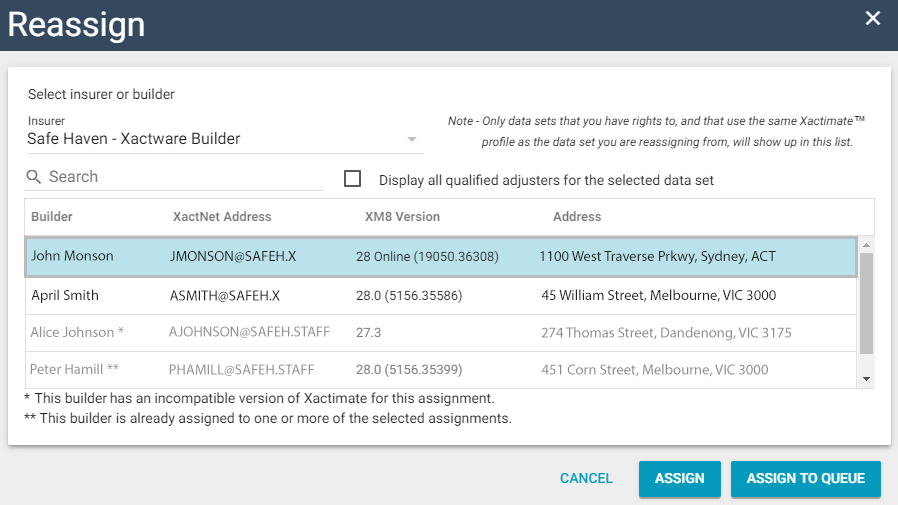
- You can type a name, XactNet address, XM8 Version, or address in the Search field to instantly filter the list by your criteria.
- When the Display all qualified assessors/builders for the selected data set check box is selected, all assessors/builders that are qualified for the assignment are included in the list. When it is not selected, the list only includes adjusters/contractors whose qualifications only match the assignment.
- You can either reassign the assignment to an assessor/builder, or to a data set's Assignment Queue.
- To reassign the assignment to an assessor/builder, select a data set from the Data Set menu, click their name in the list, and click Assign.
- To reassign the assignment to a data set's Assignment Queue, select a data set from the Data Set menu and click Assign to Queue.
In order to reassign multiple assignments from Advanced Search Results, the selected assignments must all be in the same data set. If you select assignments from different data sets and reassign them, Multiple appears in the Data Set menu and you are unable to view the assessor/builder list.
Reassign to a program location
- Open an assignment's Assignment Detail page.
- If you are in Search, select the check boxes for the assignments you want to reassign.
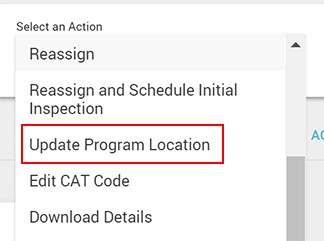
- Click the Select an Action menu and select Update Program Location.
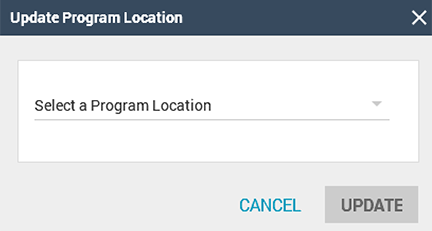
- In the Update Program Location dialogue box that appears, click the menu and select a program location from your company's hierarchy.
- Click Update.