Disable pop-up blockers
 Updated
by
Arianne G.
Updated
by
Arianne G.
In order to use certain features in XactAnalysis, you may need to disable your browser's pop-up blocker.
Internet Explorer
When a pop-up is blocked in Internet Explorer, a box appears along the bottom of the screen. Click Options for this site and select Always allow.

Chrome
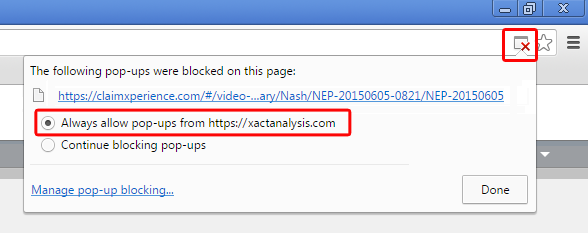
When a pop-up is blocked in Chrome, the Blocked Pop-up icon appears in the right side of the URL bar. Click the icon, select Always allow pop-ups from [URL], and click Done.