Video Collaboration
 Updated
by
Arianne G.
Updated
by
Arianne G.
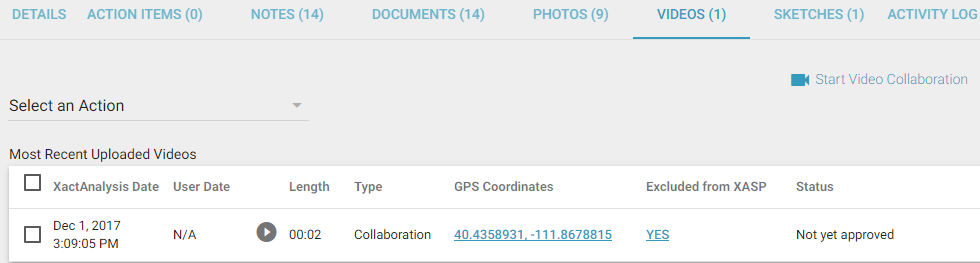
The video collaboration feature allows XactAnalysis users to hold video chat sessions with users of the ClaimXperience™ mobile app. During the chat session, the mobile app user can record video and take photos, and the XactAnalysis user can view the video live, ask questions, and add notes. Videos, notes, and photos taken during the session are stored in XactAnalysis in the assignment's Videos, Notes, and Photos tabs. To enable this feature, contact your account manager. For other types of collaboration, see Estimate Collaboration.
Initiate a video chat session with a policyholder
- Open an assignment in XactAnalysis, select the Videos tab, and click Start Video Collaboration. You will be taken to the ClaimXperience site.
- Click Create Collaboration.
- When you click Start Call, the individual will receive an email or text message prompting them to download the ClaimXperience Video Collaboration app and enter the conference code provided to join the call.
After the session ends, all of the videos, photos, and notes from the session are added to the assignment in XactAnalysis.