What's New
 Updated
by
Arianne G.
Updated
by
Arianne G.
- September 3, 2026
- Previous Updates
- Assignment Summary
- Other Improvements
- Personal Rules
- Share Media Files
- Other Improvements
- Search
- Other improvements
- Qualifications
- Other improvements
- New Assignment Detail*
- XactAI and Assignment Summary
- Other improvements
- New Assignment Detail and Status Admin*
- Job Sold status*
- New Assignment Detail*
- QA and Client status updates*
- New Assignment Detail*
- New Assignment Detail*
- Other improvements
- New Assignment Detail*
- Personal Rules
- Other improvements
- Assignment Detail
- XactAnalysis QR Insights
- Queue Admin
- User Administration
- Insights*
- Search
- Automatic User Creation
- Send Work Assignment
- Other improvements
- Assignment Detail
- Queue Admin
- Search
- Create Collaboration
- Search
- Search
- Assignment types in Bulk Assignment Import*
- New coverage types in Queue Admin
- Other improvements
- Bulk Assignment Import updates*
- Interactive User’s Guide updates
- Queue Admin updates
- Search updates
- New Third Party tab*
- Improvements
- New Bulk Assignment Import feature*
- New GIC feature*
- Helps
- Reinspection Queue Map updates
- Search updates
- Improvements
The XactAnalysis Quality Review (QR) releases contain new features designed to improve your XactAnalysis experience. Highlights from the releases are listed below. For a complete list of changes, please see the release notes on the eService Center.
Features marked with an asterisk (*) are controlled by preferences. To enable these features, contact your customer success manager or our support team.
September 3, 2026
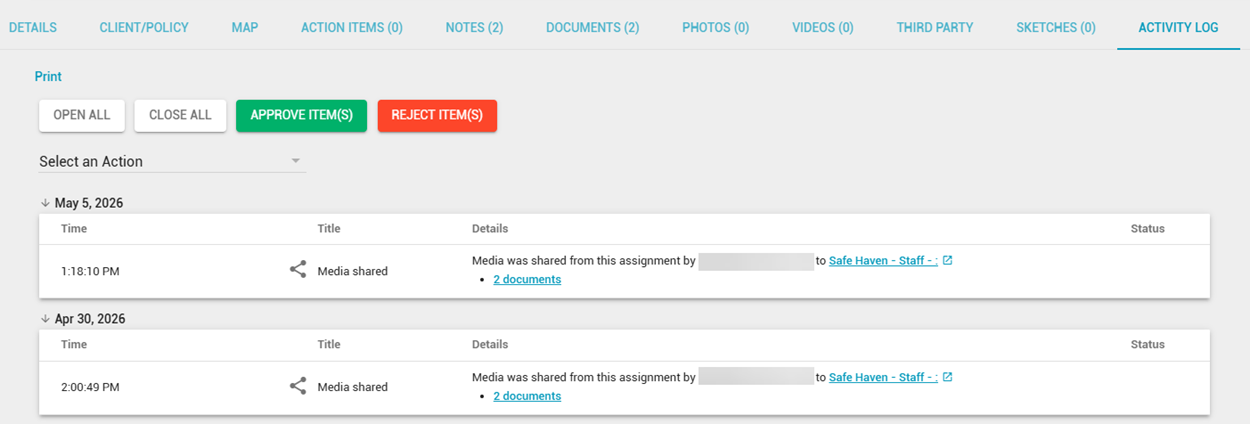
Activity Log*
The Activity Log now records when media files are shared between assignments. If you have access to the referenced data set, you can see who shared the files, which assignments were involved, and direct links to the relevant media tabs. However, if you don’t have access to the referenced data set, then the Activity Log will simply state that media was shared.
Assignment Summary*
You can now select the Download button to save the summary as a PDF and choose which sections to include.
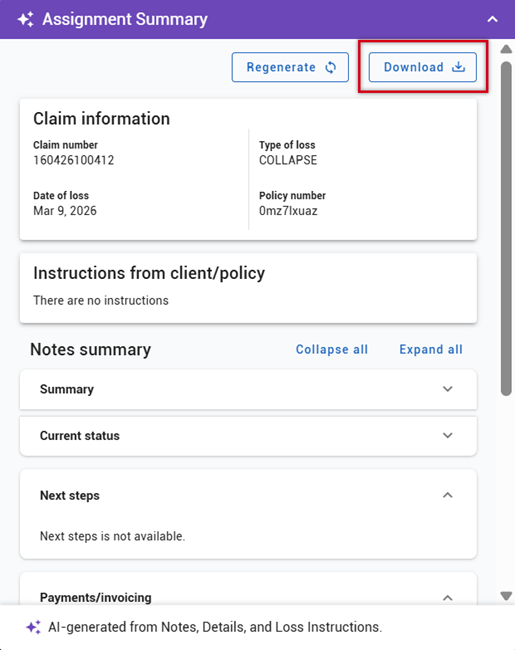
Assignment Summary also now periodically checks for new assignment information in the background, helping keep the summary’s update indicator current while you remain on the page.
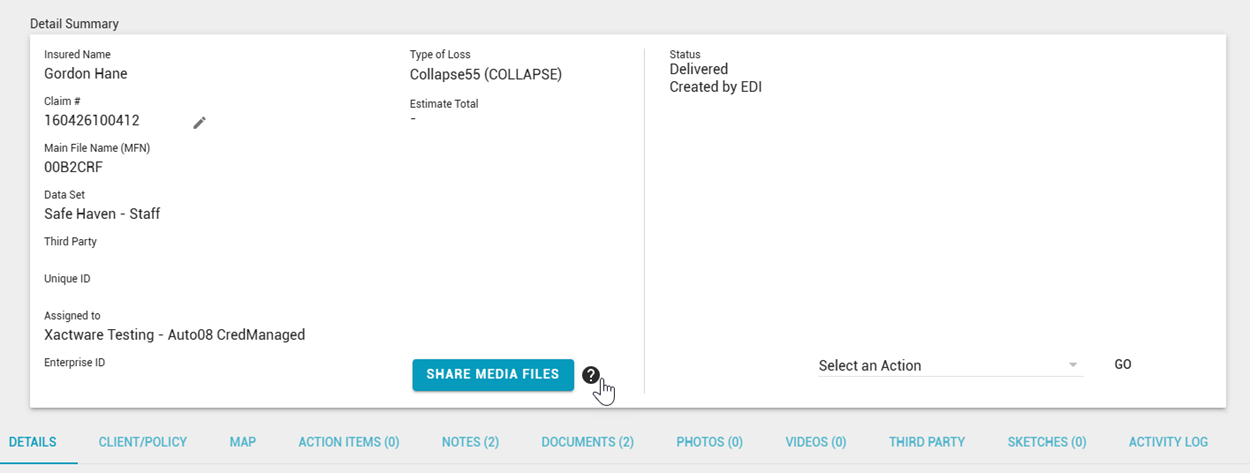
Share Media Files
The Share Media Files walkthrough no longer starts automatically. You can launch it whenever needed from the ? icon next to the Share Media Files button in Assignment Detail.
Other Improvements
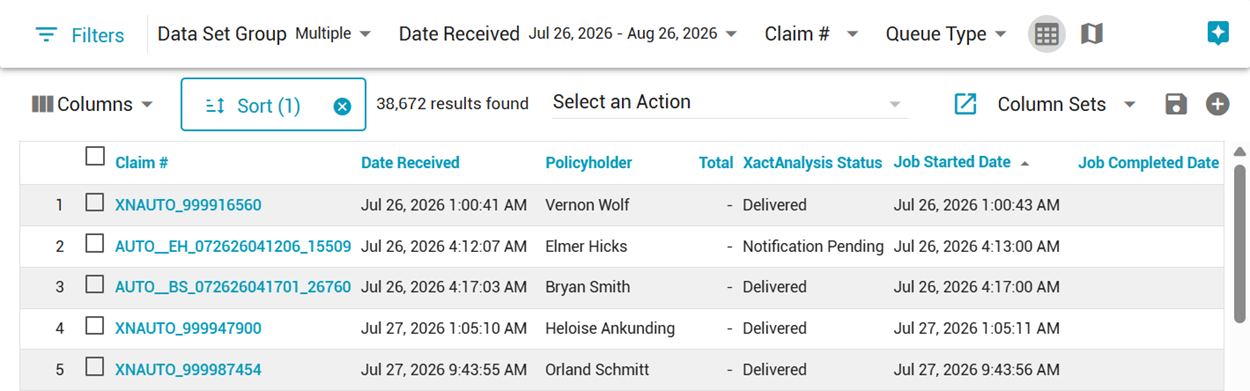
- In Search, Job Started Date and Job Completed Date are now available as sortable columns and date filters.
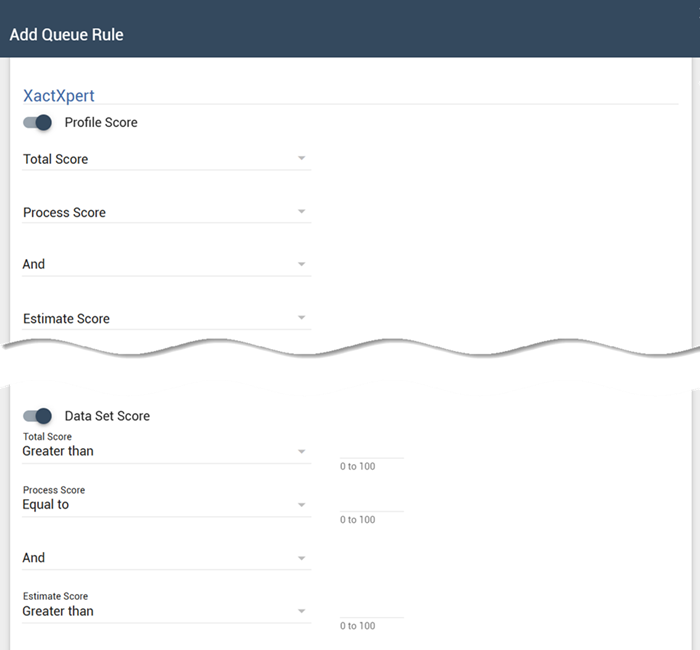
- Queue Rules now support Data Set Score criteria from XactXpert in addition to Profile and Instance scores. You can filter by Process or Estimate scores that have greater-than, less-than, or equal-to conditions.*
Previous Updates
July 29, 2026
Assignment Summary
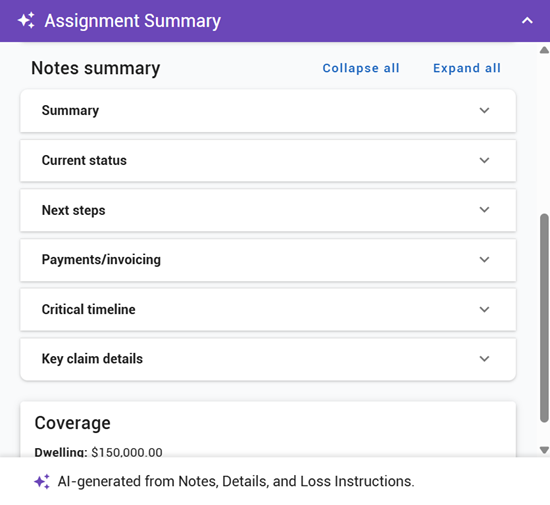
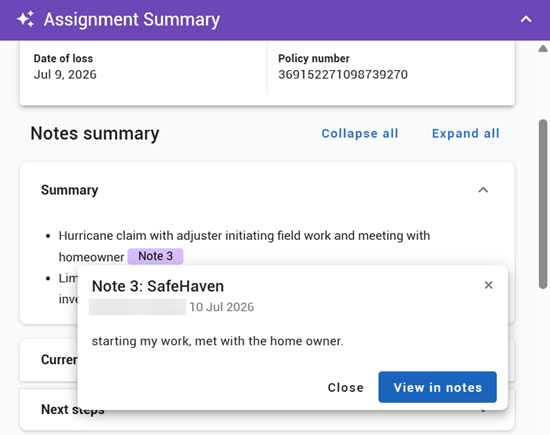
Assignment Summary has a refreshed design and expanded content to help you quickly understand the status of an assignment. It now organizes summarized information into the following sections: Summary, Current status, Next steps, Payments/invoicing, Critical timeline, and Key claim details.
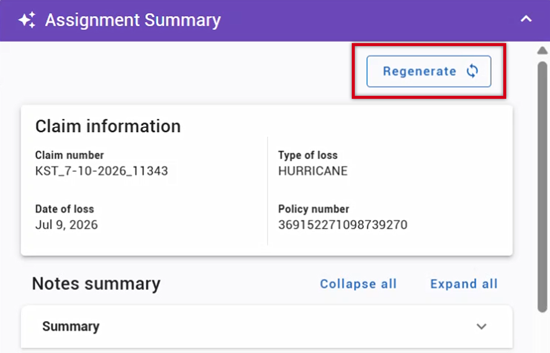
When new notes or instructions are added, an indicator lets you know updated information is available. Select Regenerate to refresh the summary with the latest assignment activity.
Assignment Summary now includes citations to summarized notes. Select a citation to preview the source note or navigate directly to it for additional context.
Other Improvements
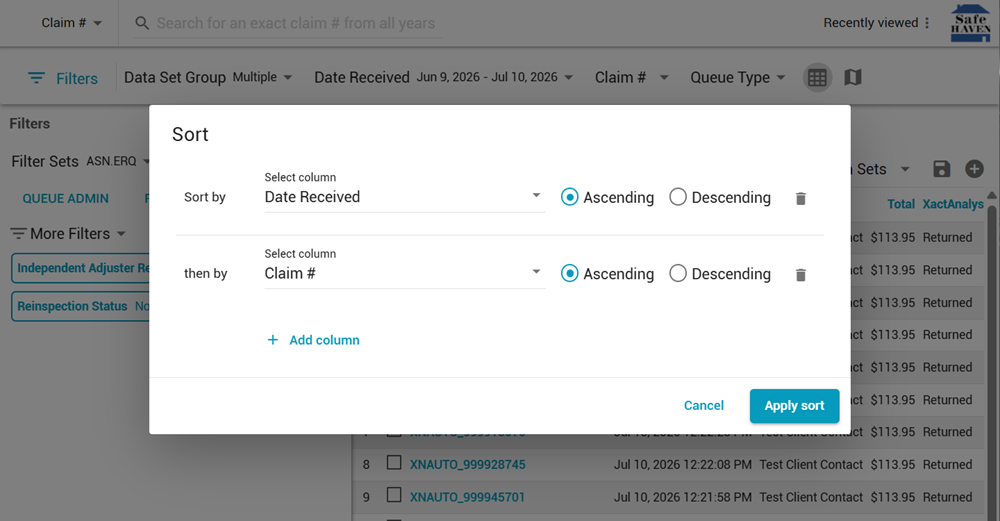
- In Search, you can now sort search results by up to five columns at the same time.
- Notes now include a character counter that displays the remaining available characters as you type.
- In Send Work Assignment, we updated the design of the Add to Claim File window to be more consistent with the rest of the application.
May 7, 2026
Personal Rules
You can now create personal rules that apply to multiple data sets at once, eliminating the need to duplicate the same rule for each data set individually. This enhancement reduces setup time and helps ensure consistent rule enforcement when you work across multiple data sets.
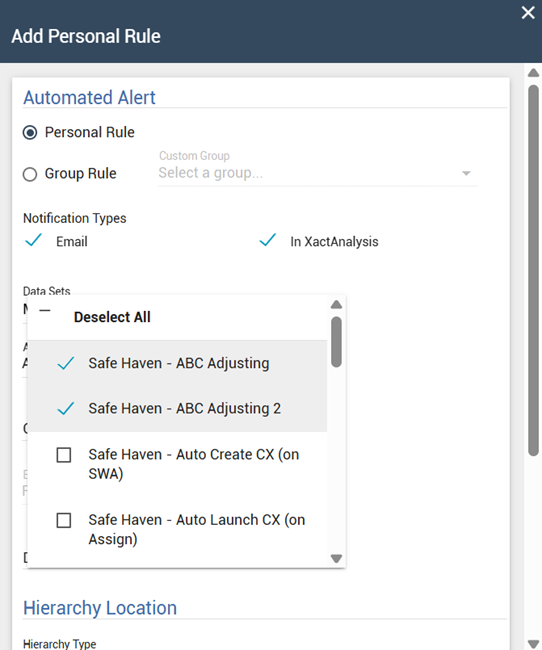
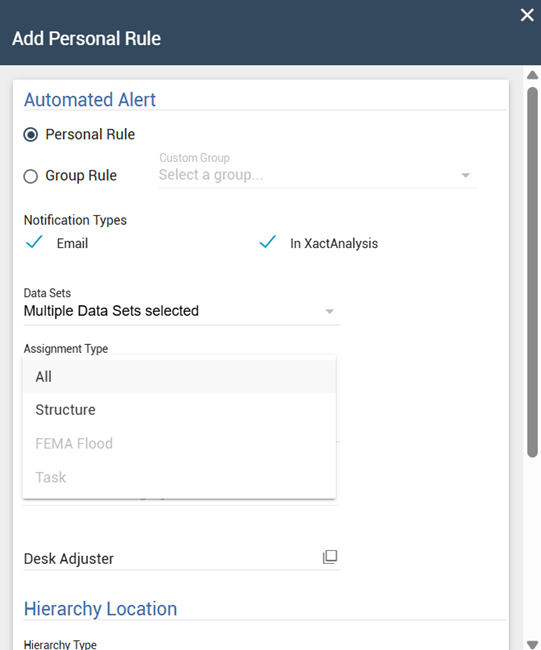
The criteria you set for a personal rule must be available for all selected data sets. If an option is not available for all selected data sets, it is grayed out.
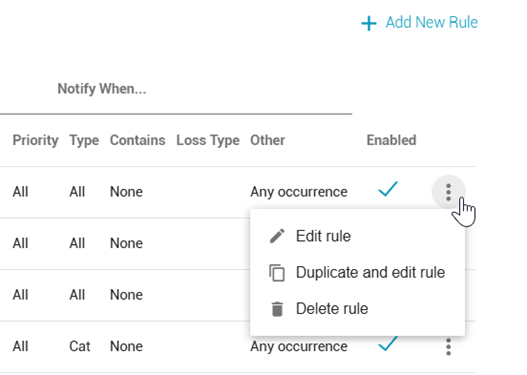
Don’t worry, you can still duplicate rules as well! To make it easier, we also added a Duplicate and edit rule option to the menu at the end of each rule’s row.
Share Media Files
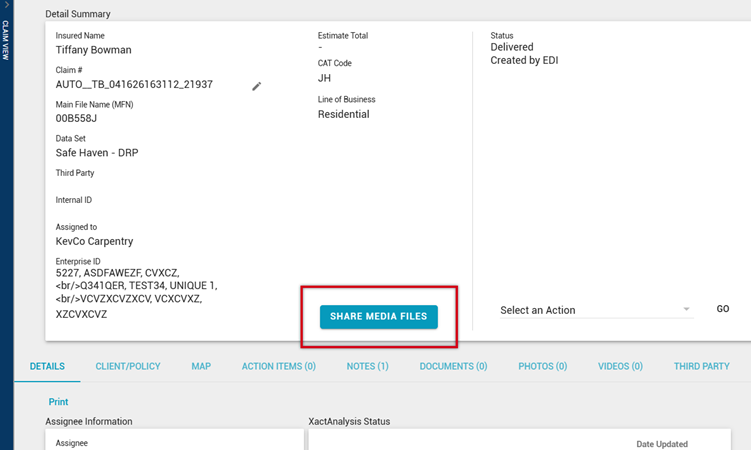
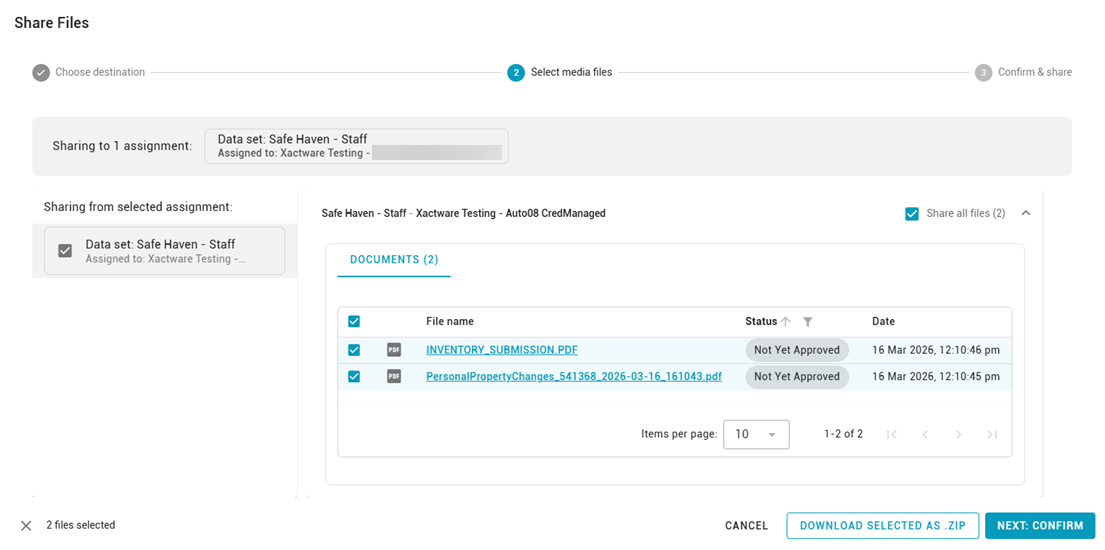
A new Share media files button is now available on the Assignment Detail page. This allows you to share documents, sketches, and photos between assignments that share the same claim number or risk address.
Sharing media across related assignments reduces duplicate uploads and keeps supporting files consistent and easy to access.
The Share media files button only appears for users with the Enable Assignment Media Sharing Utility application right enabled.
Other Improvements
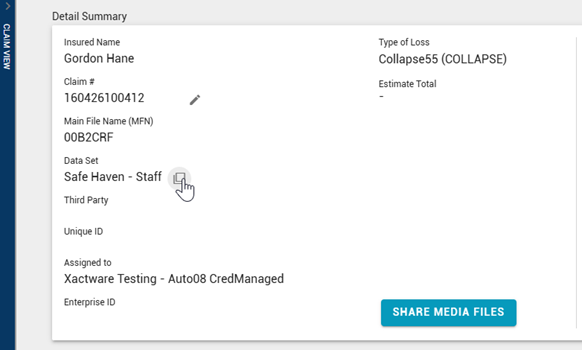
- We added copy icons to additional fields in the Detail Summary section of Assignment Detail, making it faster to copy commonly used values. Copy icons are now available for the following fields:
- Insured Name
- Claim #
- This field already had a copy icon, but we updated it to match the functionality of the new icons.
- Main File Name (MFN)
- Data Set
- Third Party
- Unique ID
- Assigned To
- Enterprise ID
The copy icons appear when you hover over their respective fields.
- We increased the default maximum number of files you can upload at one time to 10. This makes it easier to upload supporting documentation in fewer steps. Data sets that already allowed more than 10 files are unchanged.
- We made visual updates to the Assignment Detail page’s Claim View and to the Edit User page to better align with the rest of the XactAnalysis interface.
March 5, 2026
Search
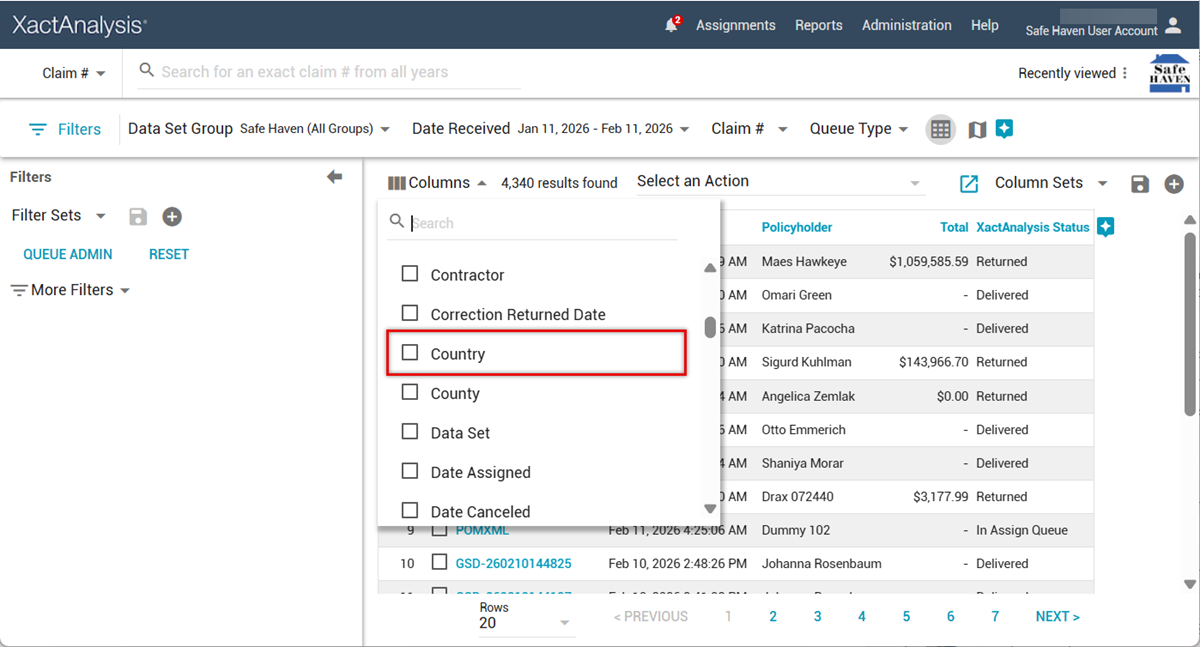
We added a new Country column! It displays the country of the risk location and complements other Search columns such as City, County, and Zip/Postal Code.
Other improvements
The remainder of this release consisted of bug repairs and performance enhancements.
December 11, 2025
Qualifications
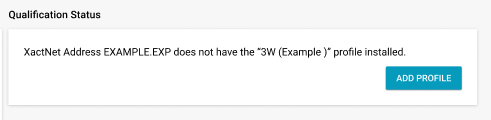
Tired of calling Support when you want to add an Xactimate profile to an XactNet address? We hear you, and we’re streamlining the process! Xactimate profile owners can now add profiles to XactNet addresses via a new Add Profile button on the Qualifications page.
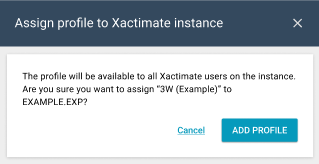
When you add a profile to an XactNet address, it is made available to all Xactimate users on the instance.
Other improvements
We made several improvements to various statuses, including:
- The Job Not Sold reason is now only displayed in the Reason field, rather than in the Notes.
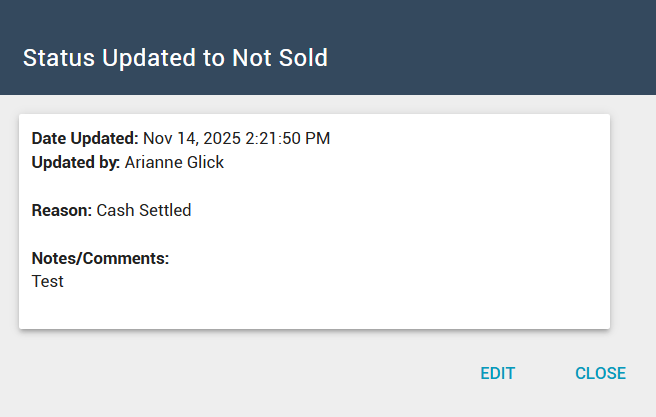
- The comments entered when setting the Job Not Sold and Adjuster Notified of Cancellation statuses are now always displayed in the View Status dialog, regardless of whether the status is set via EDI or manually in XactAnalysis.
September 25, 2025
New Assignment Detail*
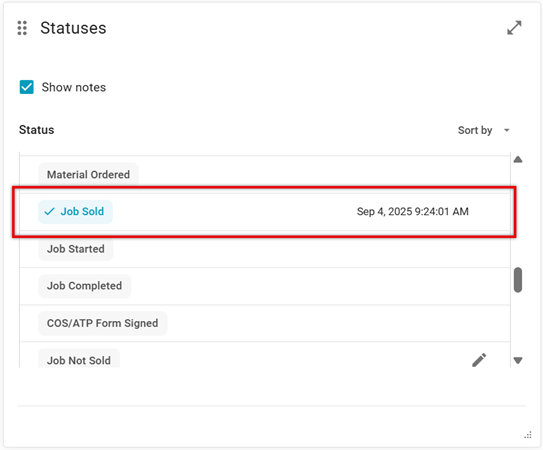
We're continuing to build and improve the new Assignment Detail page! For this release, we added the Job Sold workflow status to the Statuses widget. Job Sold tracks the date and time a job is sold.*
We also converted the Notes, Statuses, Documents, and Photos cards into widgets! Widgets can be rearranged and resized, allowing you to customize the layout of the new Assignment Detail page according to your needs.
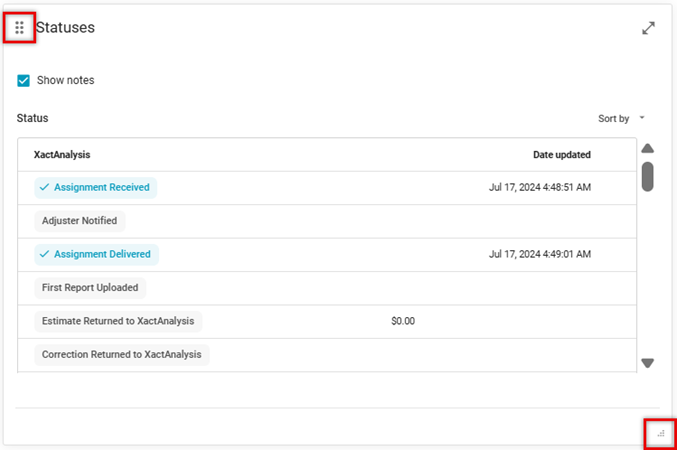
To move a widget, click the Move  icon and drag the widget to its new location.
To resize a widget, click the Resize  icon and drag until the widget reaches the desired size.
If you don’t already have access to the new Assignment Detail preview and would like to try it out, please reach out to your customer success manager. Once enabled, the Preview new design toggle appears at the top of the page. Careful! While this feature is in beta, all actions you take here are added to the assignment and are visible in both the new and old versions of Assignment Detail. For more information on the new Assignment Detail page, please see the Assignment Detail (New) topic in our interactive user’s guide.
XactAI and Assignment Summary
Verisk’s new embedded AI assistant, called XactAI, is being introduced in multiple Verisk products. In XactAnalysis, you can preview the Assignment Summary feature, which is part of the XactAI collection.
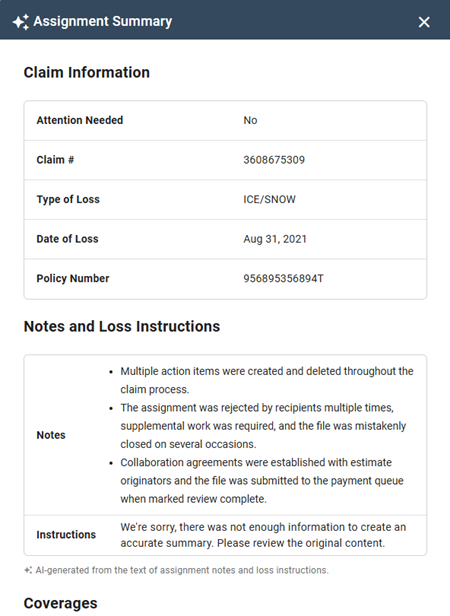
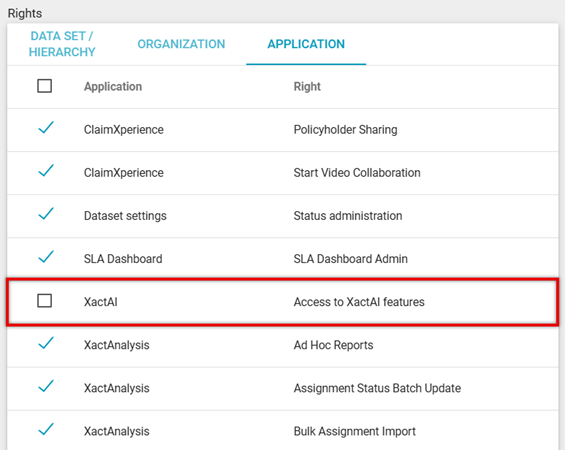
Access to the Assignment Summary is now controlled with the XactAI application right.
Want to learn more about what XactAI can do for you? Please join Verisk’s XactAI Launch webinar on September 30, 2025.
Other improvements
- We updated the Reinspection Form to only allow exception comments within 2000 characters. Users are notified when they enter an exception comment over this limit.
- We updated the messaging that appears when you submit a request to a third-party vendor via the Assignment Detail page.
July 17, 2025
New Assignment Detail and Status Admin*
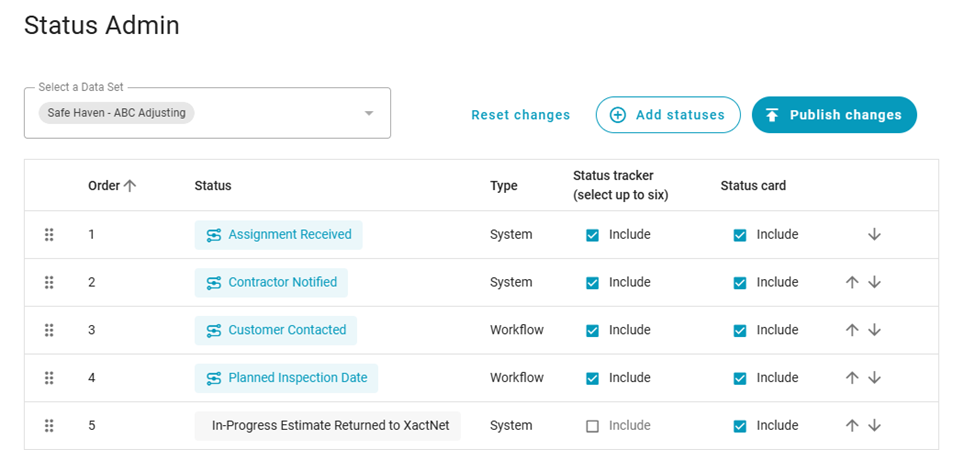
We're continuing to build and improve the new Assignment Detail page! For this release, we added another new page, Status Admin, that allows you to control which statuses appear in the new Assignment Detail’s status tracker. You can select up to six statuses for the status tracker, and you can specify the order you’d like them to appear in.
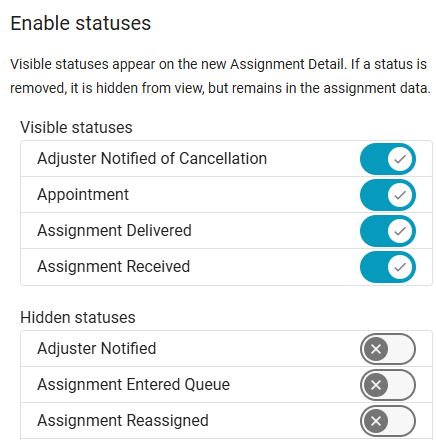
Additionally, you can select Add statuses to choose which statuses will be visible on the Statuses card.
Job Sold status*
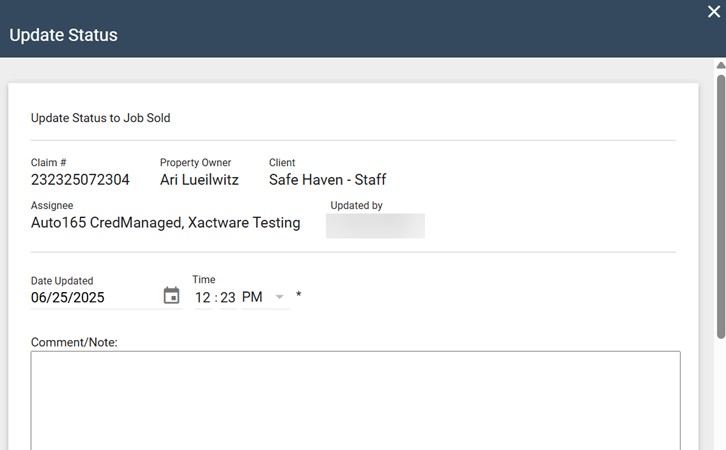
We added a new Job Sold workflow status, which tracks the date and time a job was sold. Just like the existing Job Not Sold status, you can update the new Job Sold status as many times as you need to.
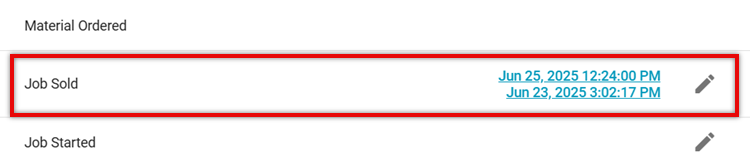
Each time this status is updated, XactAnalysis records the update and displays it on the Assignment Detail page.
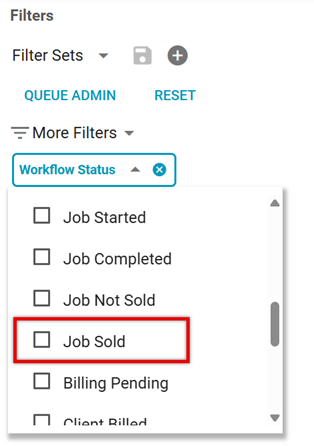
We also added Job Sold to Search! You can use it in the Workflow Status filter to view assignments that have a Job Sold status. Job Sold is also now one of the statuses that can appear in the Workflow Status column.
May 8, 2025
New Assignment Detail*
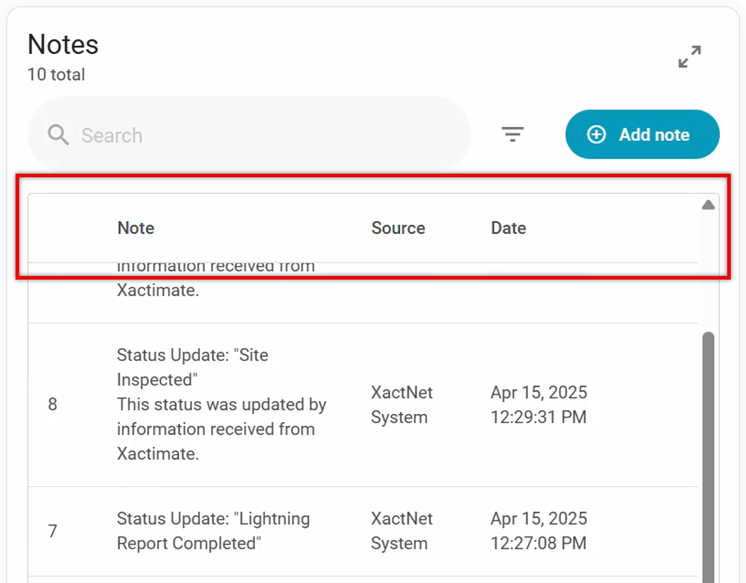
We're continuing to build and improve the new Assignment Detail page! For this release, we made multiple backend changes in preparation for future updates. We also pinned the table headers on the Notes and Documents cards to ensure that the column names stay visible while you scroll through the cards.
If you don’t already have access to the new Assignment Detail preview and would like to try it out, please reach out to your customer success manager. Once enabled, you’ll be able to see and use the Preview new design toggle at the top of the page. Careful! While this feature is in beta, all actions you take here are added to the assignment and are visible in both the new and old versions of Assignment Detail. For more information on the new Assignment Detail page, please see the Assignment Detail (New) topic in our interactive user’s guide.
As we continue to add both new features and features from the previous Assignment Detail, we would love your feedback on the direction of this page and on the features you would like to see added! Please let us know what you think via the Give feedback button in the design preview or by contacting us through the We’re Listening form.
QA and Client status updates*
Previously, if your account required the New Status field when users updated the QA and Client statuses, the QA Approved or Client Approved options were automatically selected by default. In this release, we added a new option where you can require your users to manually select the new status when they update the QA or Client statuses.
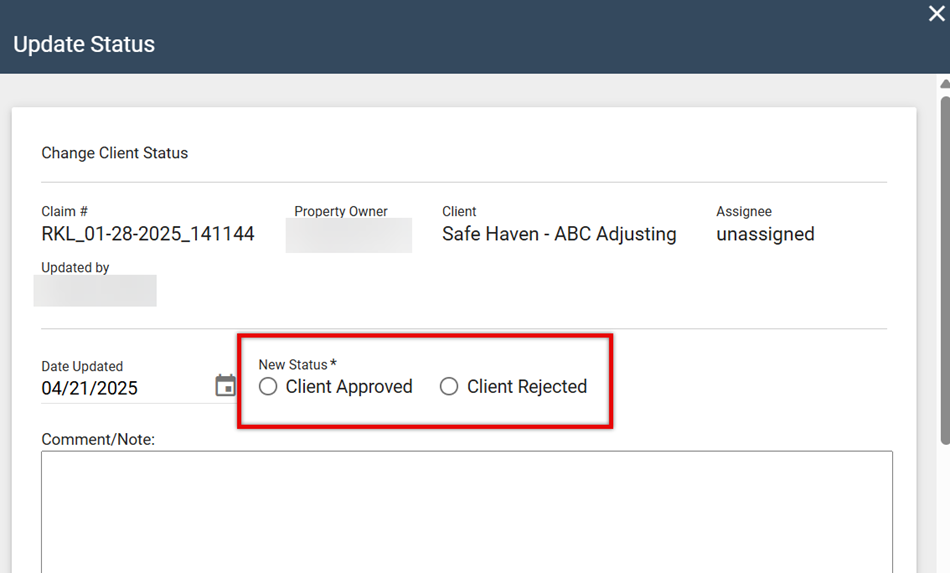
If you would like to have this option enabled, please reach out to your customer success manager.
February 27, 2025
New Assignment Detail*
We're enhancing your experience on the Assignment Detail page! For this release, we made multiple additions and improvements to the Photos card, Documents card, and walkthrough.
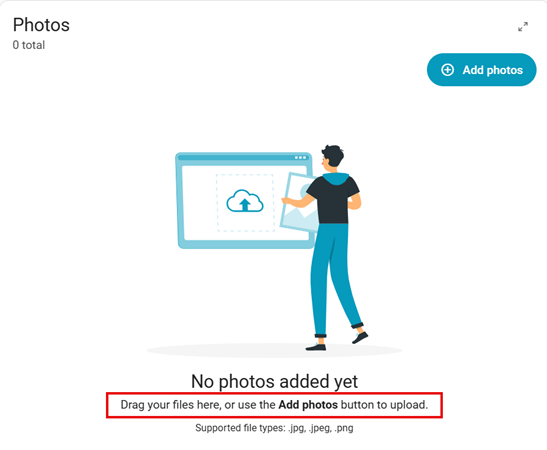
First, we made uploading files to your assignments easier! You can now drag the image files that you want to upload to the Photos card, and you can drag the document files that you want to upload to the Documents card.
Next, we made several other improvements to the Documents card. Files in the Documents card are now organized in rows, allowing you to perform actions on a document without opening it. We also added a Status menu to each document row that you can use to quickly approve or reject documents.
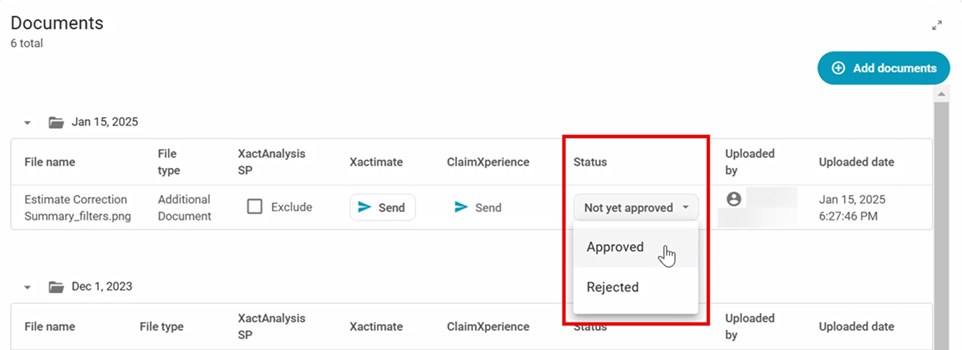
We also made it so that you can expand and collapse the date folders that documents are grouped in.

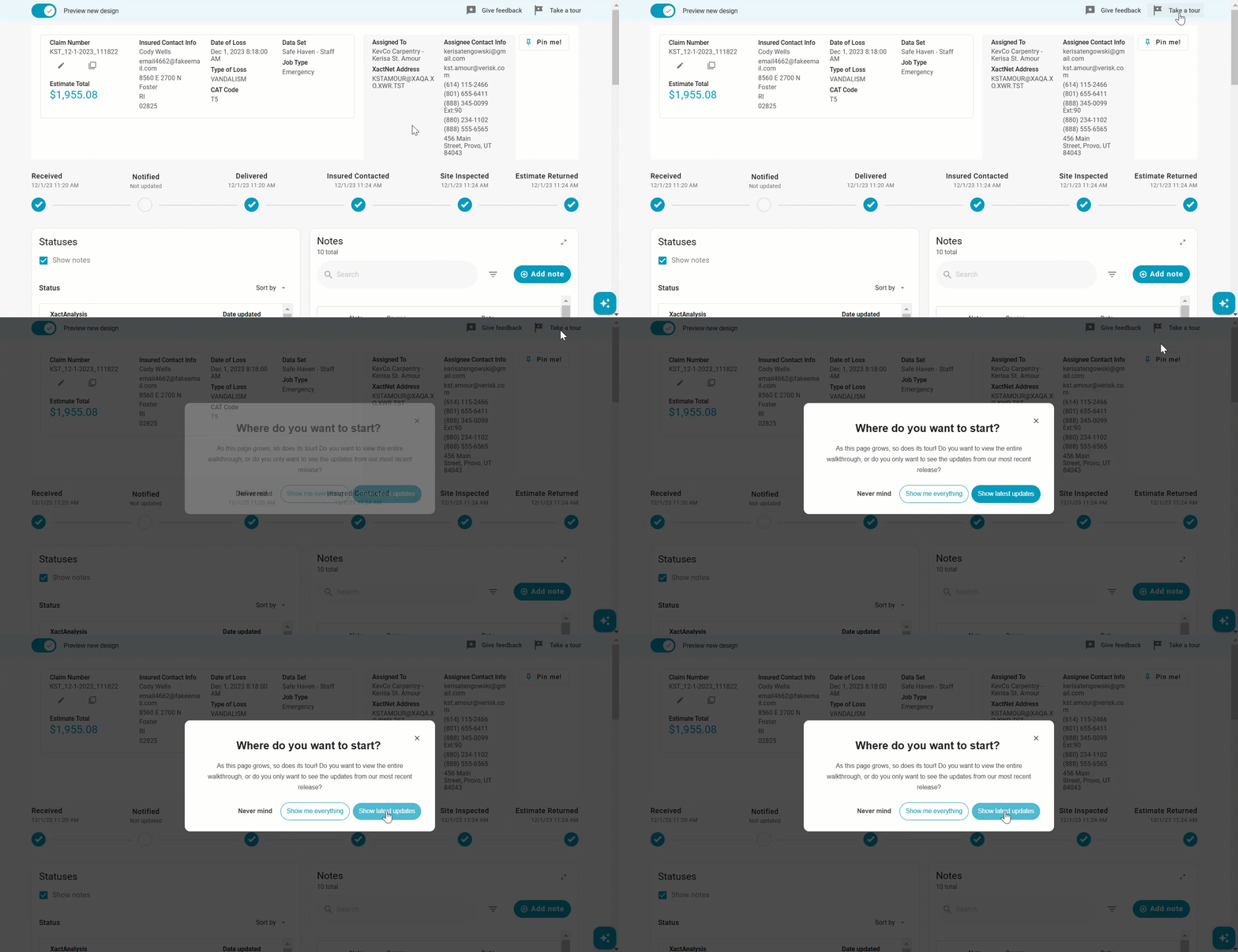
Finally, we added starting point options for the walkthrough. You can choose either to start the tour from the beginning or to only see the most recent updates.
December 12, 2024
New Assignment Detail*
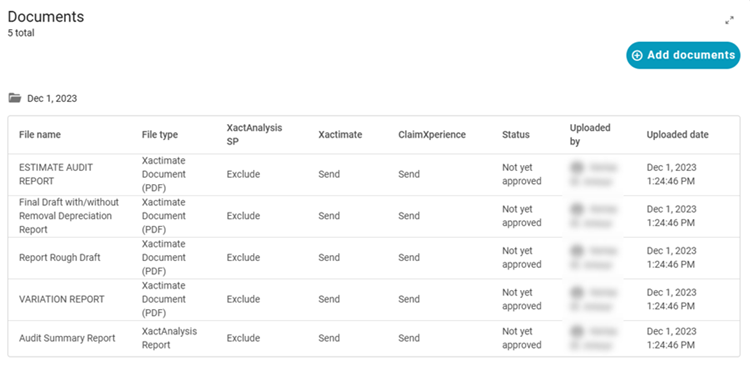
We're enhancing your experience on the Assignment Detail page! For this release, we made several additions and improvements to the new design. First, we added a new Documents card where you can view and add documents.
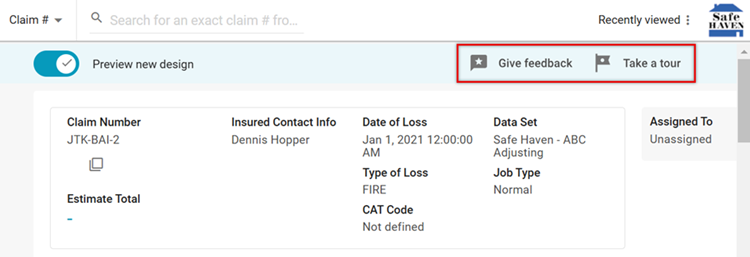
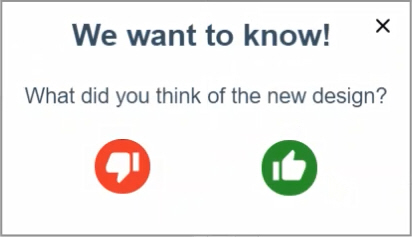
Next, we updated the design of the Give feedback and Take a tour buttons. The Give feedback button launches a survey where you can tell us what you think about the new design, while the Take a tour button walks you through the different features on the page.
Finally, we adjusted the background color of the new Assignment Detail page to improve the visual contrast.
As we continue to add both new features and features from the previous Assignment Detail, we would love your feedback both on the direction of this page and on the features you would like to see added! Please let us know what you think via the Give feedback button in the design preview or by contacting us through the We’re Listening form.
Other improvements
It’s important to us that our application is accessible for all our customers! With that in mind, we made multiple improvements to the notification pop-up window:
- All triggered notifications are listed in the pop-up window.
- We increased the amount of time that the pop-up window remains visible.
- We changed the colors of the notifications to align with accessibility guidelines.
November 6, 2024
New Assignment Detail*
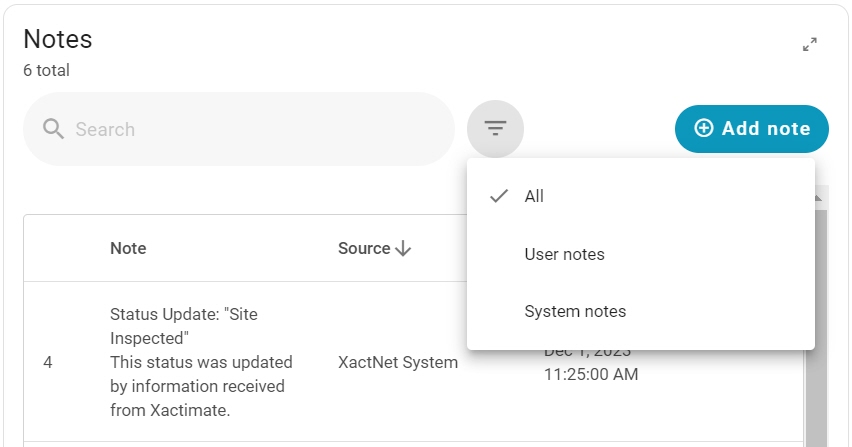
We're enhancing your experience on the Assignment Detail page! For this release, we made several additions and improvements to the new design. First, we added a filter to the Notes card. There are three filter options: All, User notes, and System notes.
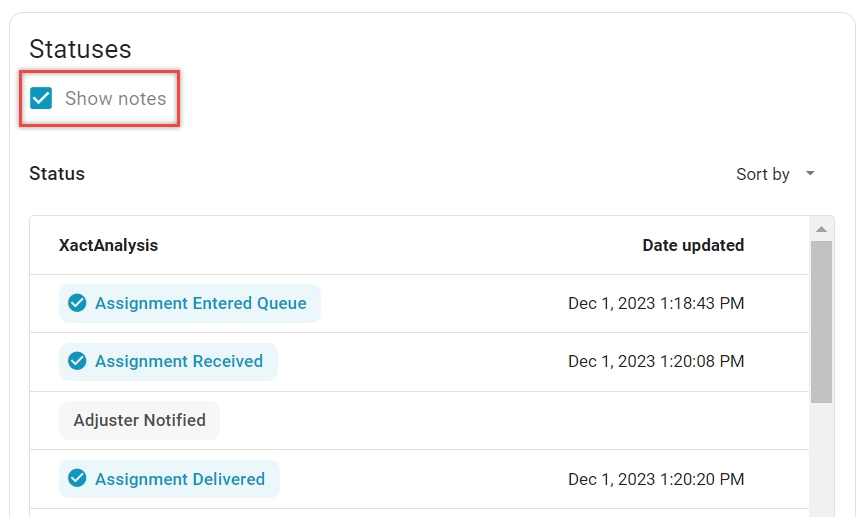
Next, we made many improvements to the Statuses card. You can now sort and edit statuses in the card. You can also choose when to show or hide notes on statuses by selecting or clearing a check box on the Statuses card.
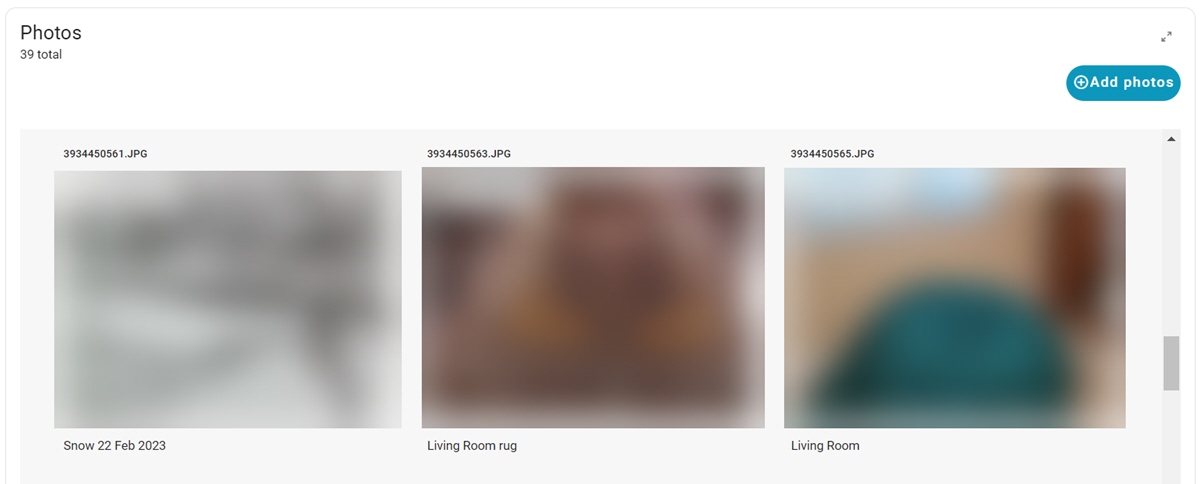
Finally, we added a new Photos card! This card displays thumbnails of photos attached to the assignment. This card includes a button that allows you to add new photos to the assignment, as well as options to Send to Xactimate, Send to ClaimXperience, Exclude from XactAnalysis SP, Download, and Print. You can also expand the card for a larger view of the assignment’s photos.
If you’d like to preview the new design, please reach out to your account manager. Once enabled, you’ll be able to see and use the Preview new design toggle at the top of the page. Careful! While this feature is in beta, all actions you take here are added to the assignment and are visible in both the new and old versions of Assignment Detail.

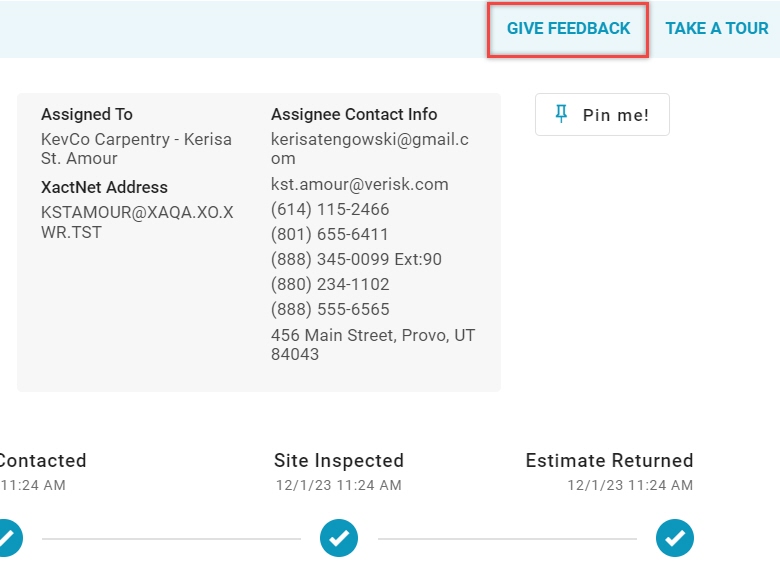
As we continue to add both new features and features from the previous Assignment Detail, we would love your feedback both on the direction of this page and on the features you would like to see added! Please let us know what you think via the Give Feedback button in the design preview or by contacting us through the We’re Listening form.
Personal Rules
We added a Save and Duplicate button to the Add Personal Rule window. This allows you to duplicate new and existing personal rules!
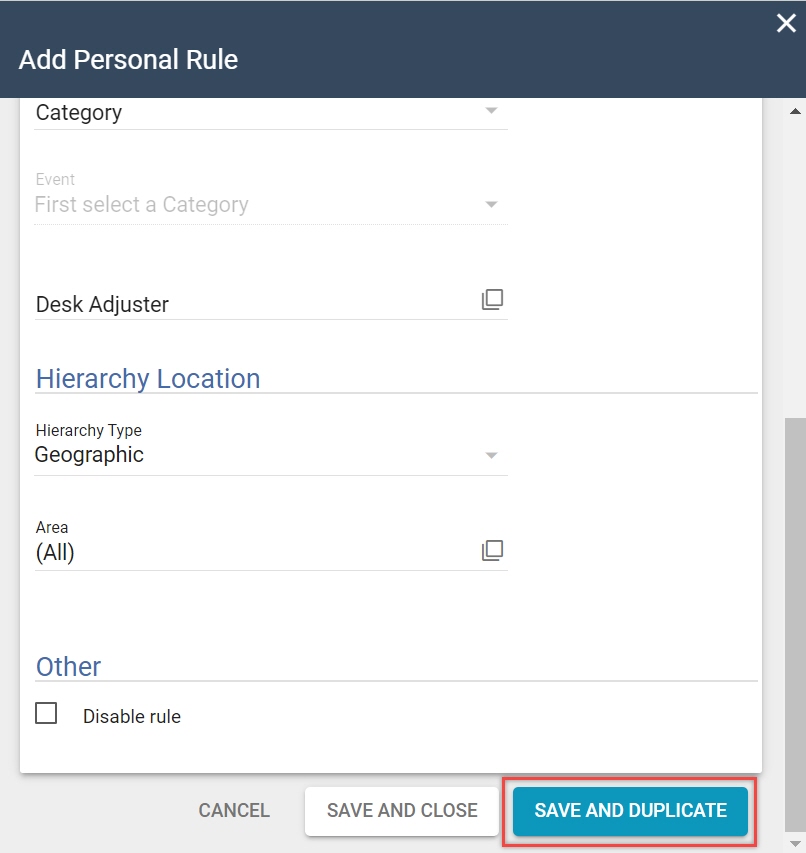
This is especially helpful if you have existing personal rules that you would like to copy and apply to a different data set.
Other improvements
We added a tooltip next to the Report Date Range in Management/Activity Reports. This tooltip only appears when you select the Transaction Counts report, and it reminds you to use the Transaction Counts liveboard in Insights for dates after August 2024.
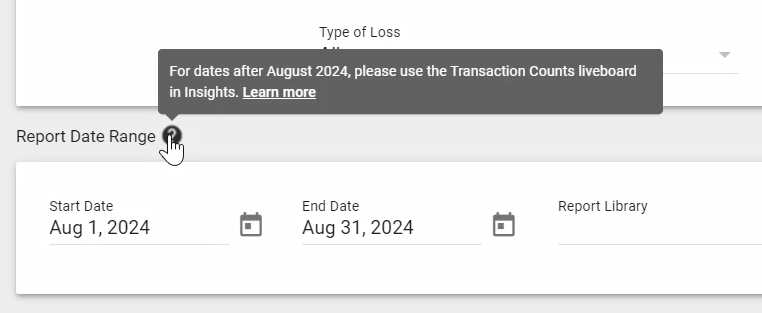
We moved the Transaction Counts data to Insights as part of our migration to a new billing system. For transaction data before September 2024, please continue using the Transaction Counts management report.
July 23, 2024
Assignment Detail
We're enhancing your experience on the Assignment Detail page! This new design is highly customizable, empowering you to create the Assignment Detail page that best suits your needs. If you’d like to preview the new design, please reach out to your account manager. Once enabled, you’ll be able to see and use the Preview new design toggle at the top of the page.*
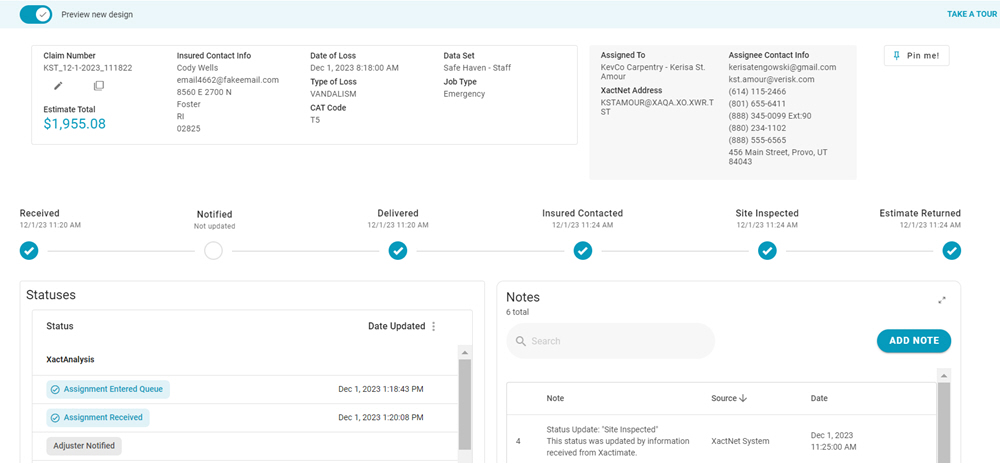
Right now, you can view statuses and add notes in the new design. Careful! While this feature is in beta, all actions you take here are added to the assignment and are visible in both the new and old versions of Assignment Detail.
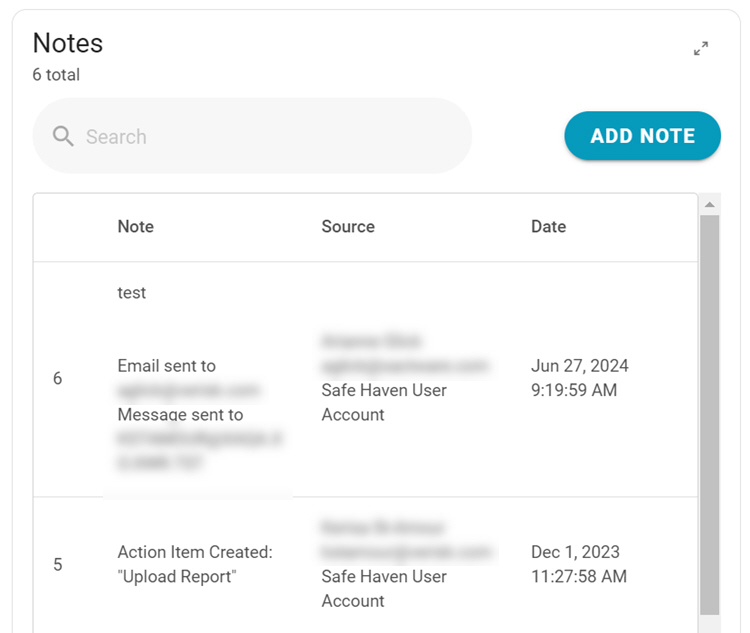
Assignment Detail is the heart of XactAnalysis, so we know that changing anything here will significantly affect how you work. As we continue to add both new features and features from the previous Assignment Detail, we would love your feedback both on the direction of this page and on the features you would like to see added! Please let us know what you think via the survey that appears after you preview the new design or by contacting us through the We’re Listening form.
XactAnalysis QR Insights
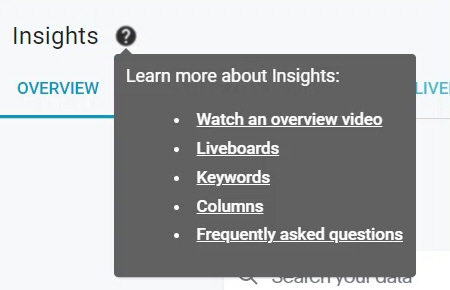
We added a tooltip next to the Insights heading for XactAnalysis QR users. This tooltip contains links to helpful topics in the Interactive User’s Guide.
May 9, 2024
Queue Admin
We added the ability to create queue rules based on XactXpert profile and instance scores!*
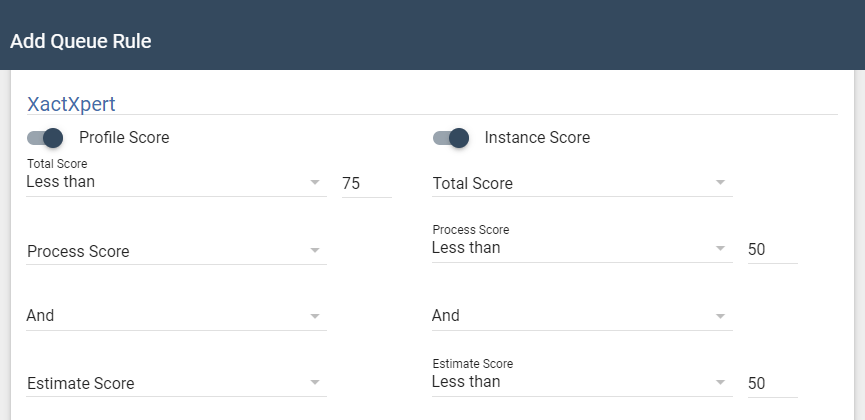
Both the profile and instance score are comprised of a process score and an estimate score. You can set score ranges for the total score, process score, and estimate score with greater than, less than, or equal to conditions.
User Administration
In User Administration, you can now filter users by User Role* and User Type.
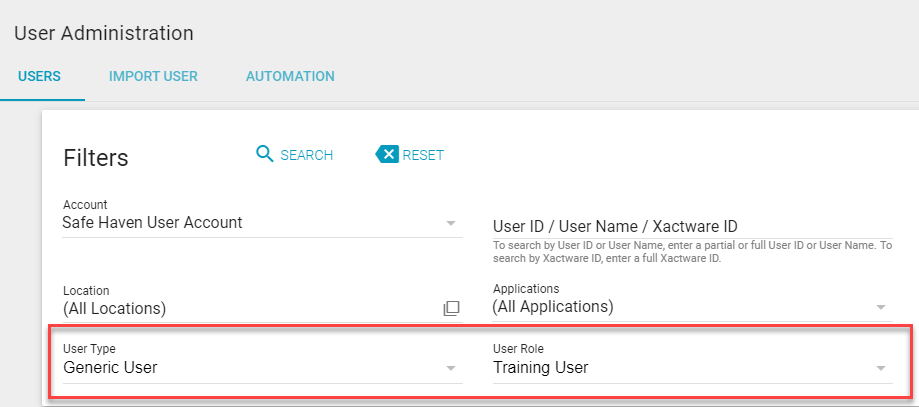
We also added a sortable User Type column.

February 29, 2024
Insights*
Insights, our exciting self-service reporting tool, is now also available in XactAnalysis QR!
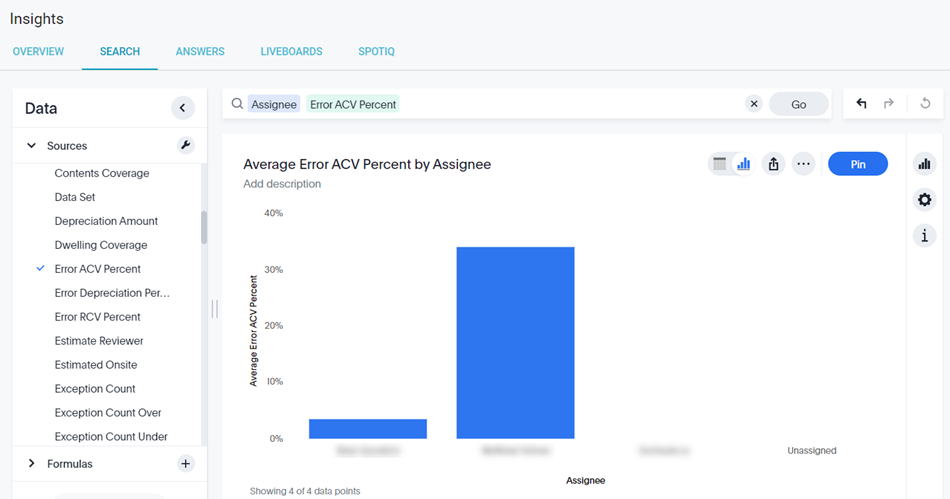
Insights lets you analyze your data like never before! Simply type what data you want to see into the search bar, and Insights will create a report for you. From there, you can create interactive graphs and customized liveboards.

If you would like to subscribe to Insights, please contact your account manager.
Search
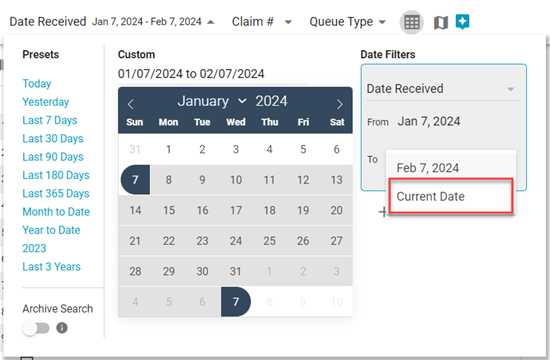
Finally, we added a new Current Date option in Date Filters. This allows you to create filters that automatically update the To field to the current date.
December 7, 2023
Automatic User Creation
You asked, we’ve delivered! We know creating new users can be tedious, so we added a new Automation tab to the User Administration page.* With this feature enabled, new users can be automatically generated, along with their data set, organization, and application rights.
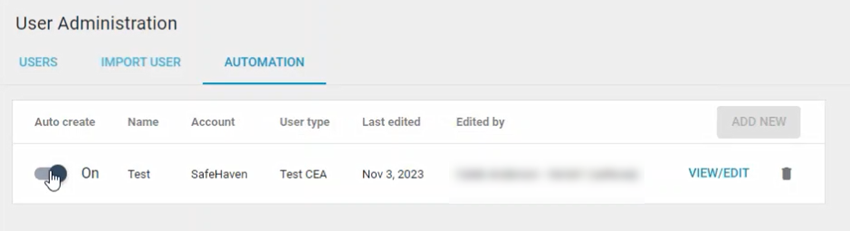
Please note that an account must be federated to use the Automation tab. If you would like to federate an account, please contact your account manager or sales executive.
Send Work Assignment
We also added a Year built field to the Policy section in Send Work Assignment!* This field allows you to enter the year the property was built when you create an assignment. You can enter any year between 1600 and the current year.

After you finish creating the assignment, the Year built appears in the Client Policy tab.
Other improvements
Previously, new XactAnalysis users had to manually link their XactAnalysis user to their Xactware ID. Now, XactAnalysis completes this step for new users automatically.
September 14, 2023
Assignment Detail
You can now view an estimate’s Inspection Score in XactAnalysis! When an estimate is completed in Xactimate, its Inspection score, including the Process and Estimate portions, is displayed in the Detail Summary of the assignment.*

Queue Admin
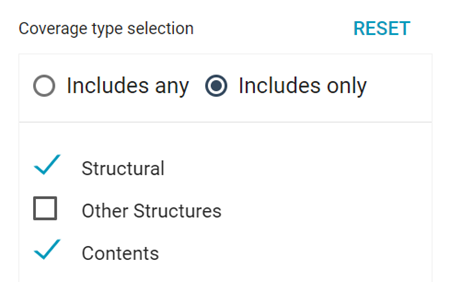
Per your feedback, we streamlined the coverage type selection in the Add Queue Rule window. You can now select any combination of coverage types (Structural, Other Structures, or Contents). You can also specify whether you want to see estimates that include any of the selected coverage types or only the selected coverage types.
Search
You can now include dates and date ranges in your saved Search filter sets!

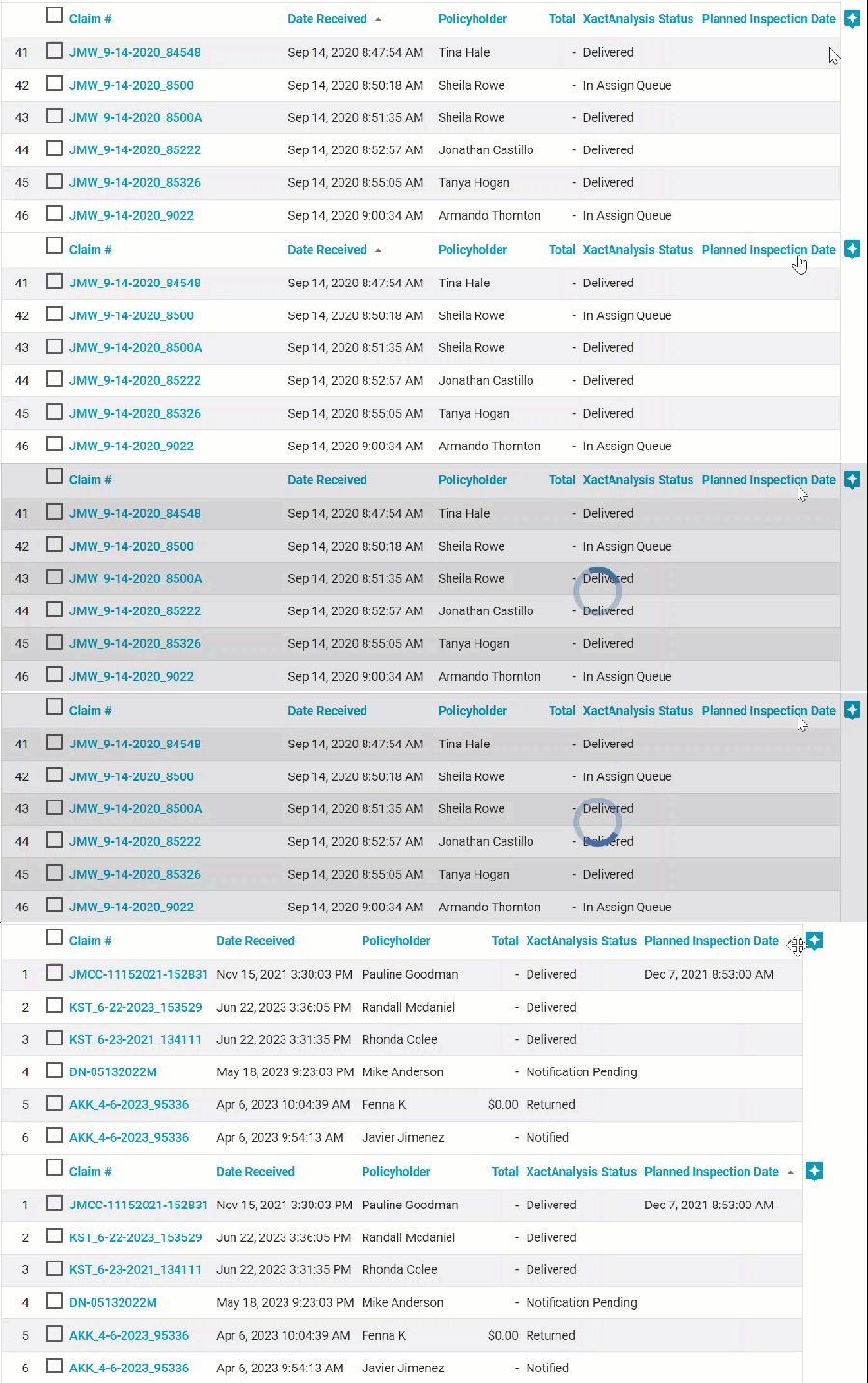
Additionally, the Planned Inspection Date column is now sortable.
June 1, 2023
Create Collaboration
In anticipation of the future integration of Verisk's Contents Collaboration tool to ClaimXperience, we updated the Create Collaboration button in Assignment Details so that it detects whether the associated instance is for Contents Collaboration or ClaimXperience.
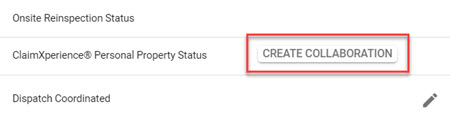
Now, when you select this button, you will see a customized process for the detected product.
Search
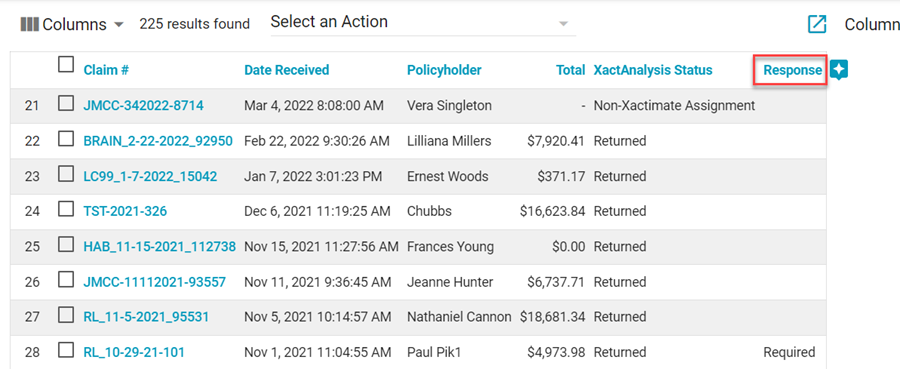
Per your feedback, we added some useful new columns and filters to Search! First, we added a Response column to the Reinspection Queue in XactAnalysis QR. This column shows whether a response is required or has been received from the recipient of the Reinspection Form.
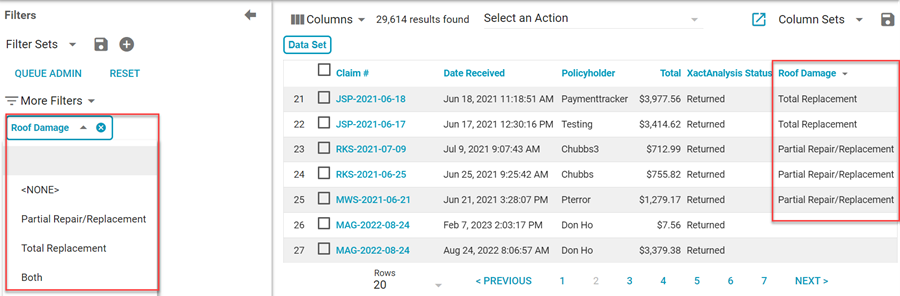
We also added a new Roof Damage column and Roof Damage filter. The filter allows you to filter claims by Partial Repair/Replacement, Total Replacement, None, or Both. The column displays the type of roof damage for each claim.
April 13, 2023
Search
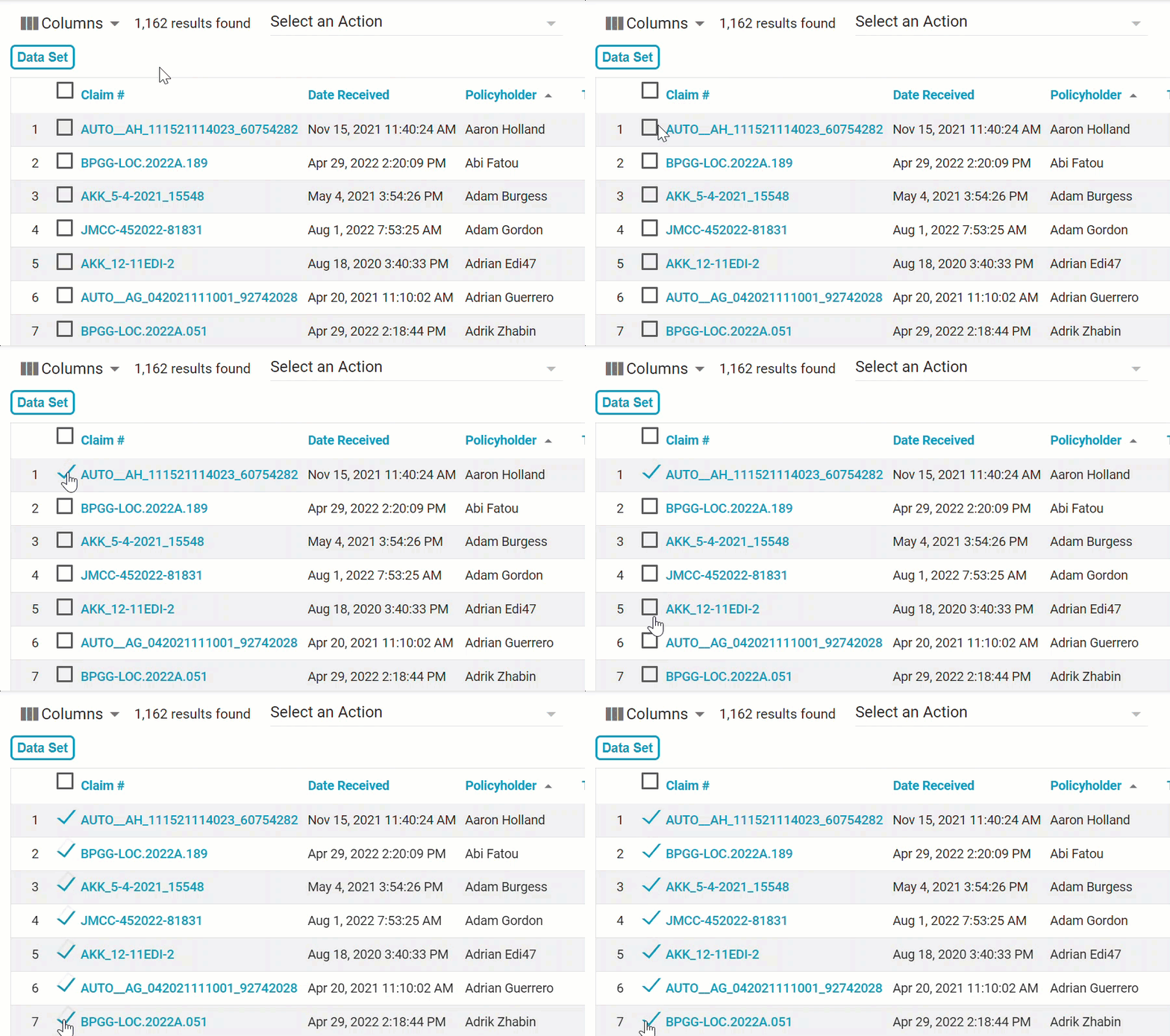
Based on your feedback, we made several improvements and additions to our Search feature! First, we added the ability to select multiple assignments in a row at once. You can do this by selecting a checkbox, holding the Shift key, and then selecting another checkbox; all the assignments between them will also be marked as selected.
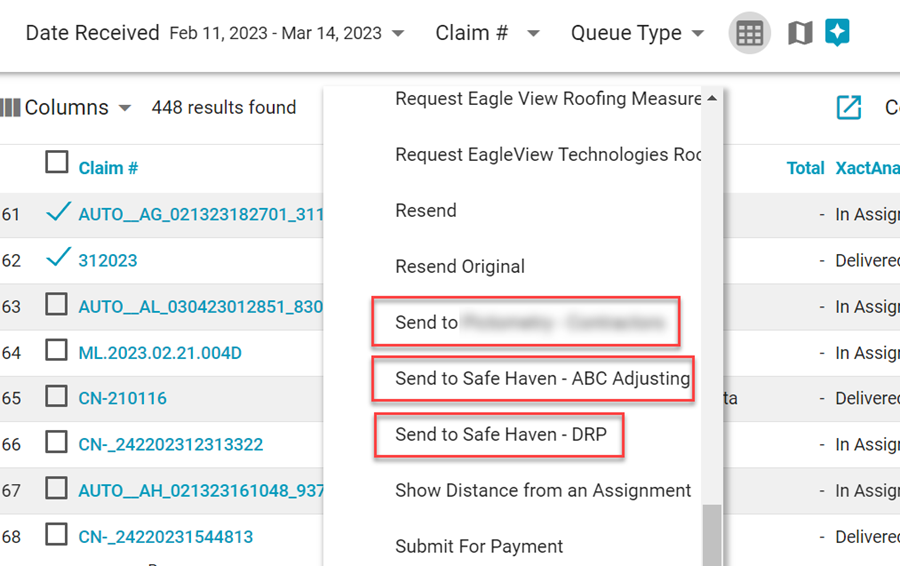
You can also now create bulk referral assignments from the Select an Action menu. Simply select the checkboxes of the assignments you want to refer, click the Select an Action menu, and select the company you want to send them to. The referral companies available will be the same as those that you had access to in Advanced Search.
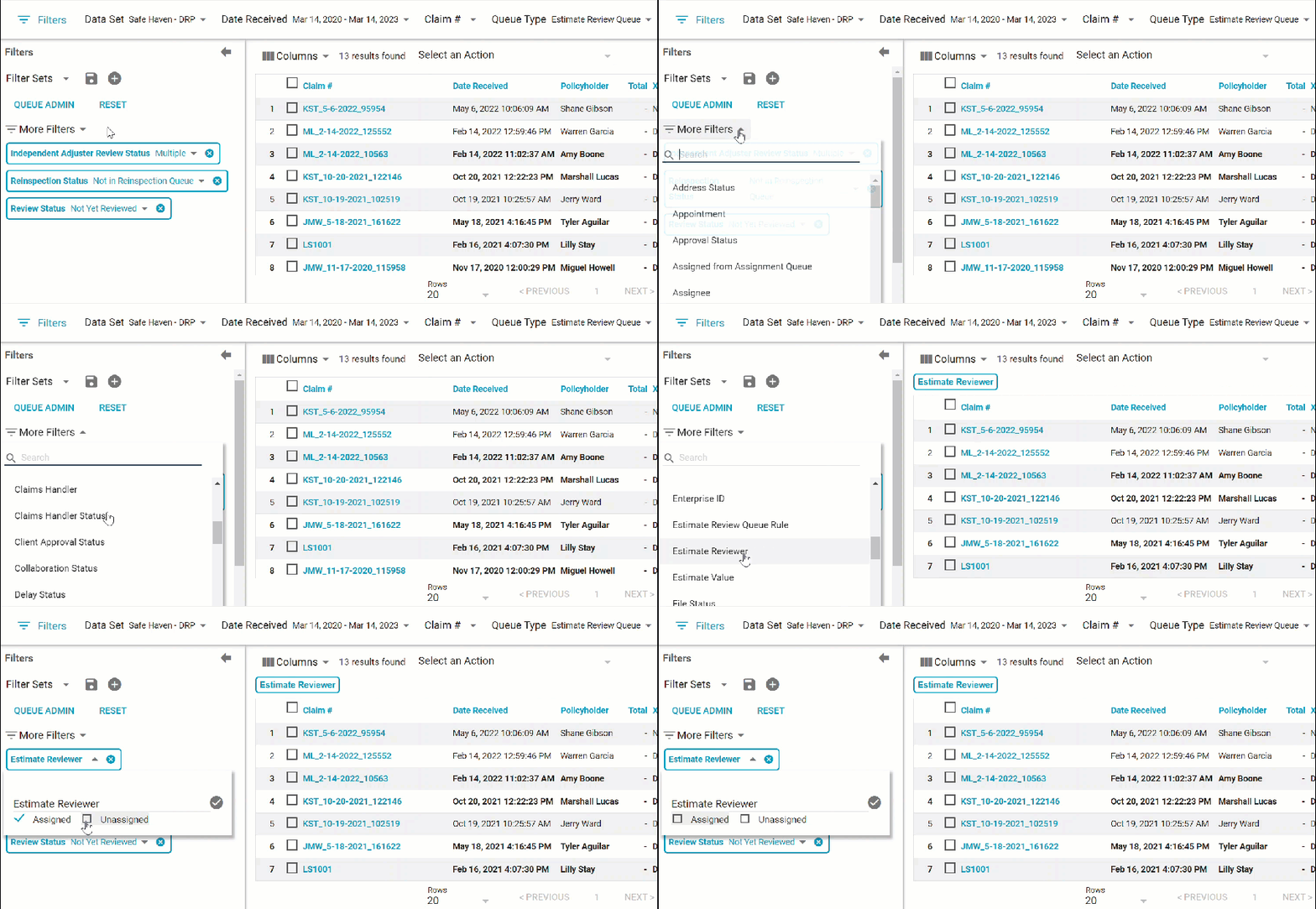
We added two checkboxes to the Estimate Reviewer filter in Search: Assigned and Unassigned. By selecting one of these boxes, you can quickly see either all assignments that have not been assigned a reviewer or all assignments that have been assigned a reviewer.
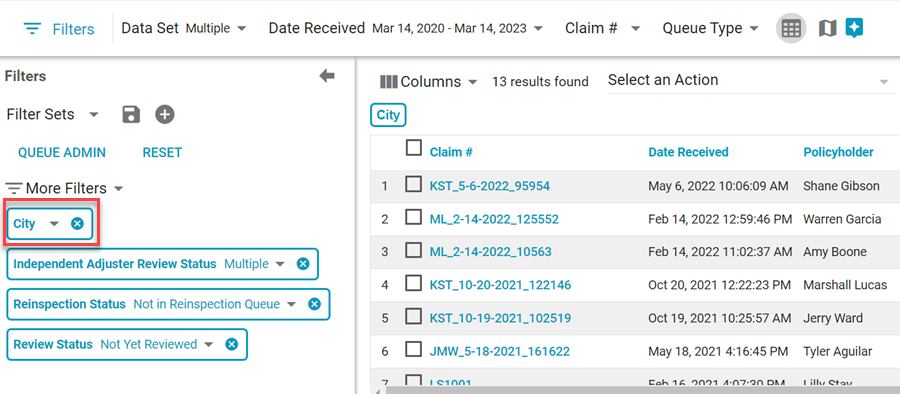
We also added a City filter to Search, and we made the following columns sortable: City, Date Assigned, Estimate Review Assigned Date, and Org Levels 1 – 6.
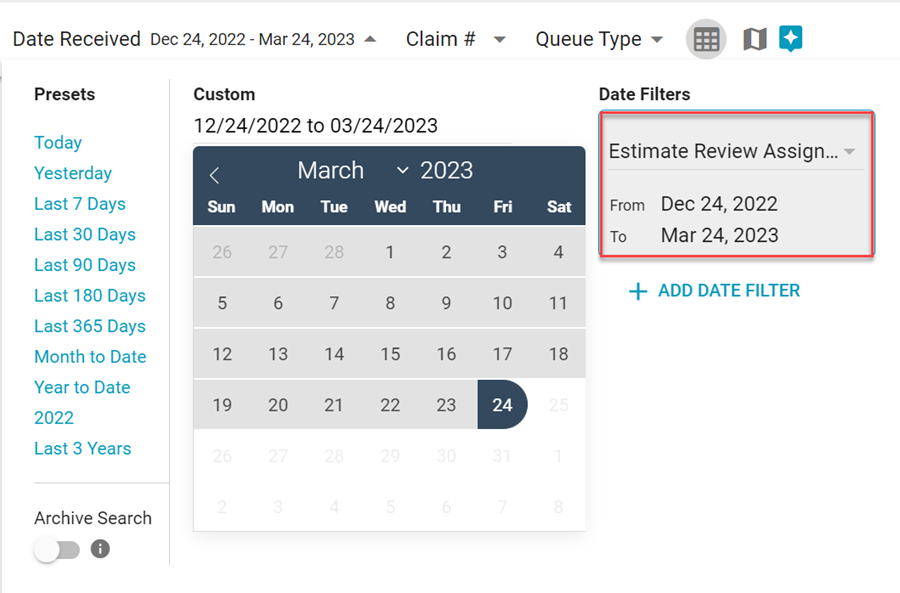
We added an Estimate Review Assigned Date option to the Date Filters list in Search.
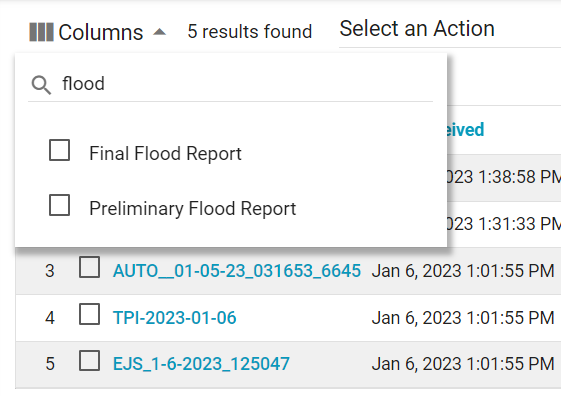
Finally, we added the following new columns to Search: Number of Assignments, Preliminary Flood Report, Final Flood Report, and Advanced Request Report.
Assignment types in Bulk Assignment Import*
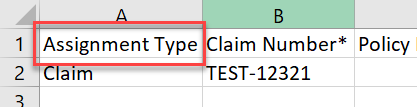
We added an Assignment type column to the Bulk Assignment Import template. You can now specify whether each assignment falls under the following categories: claim, structural, contents, FEMA, or task. When you add an assignment type to the template, you must include the entire name without any misspellings.
New coverage types in Queue Admin
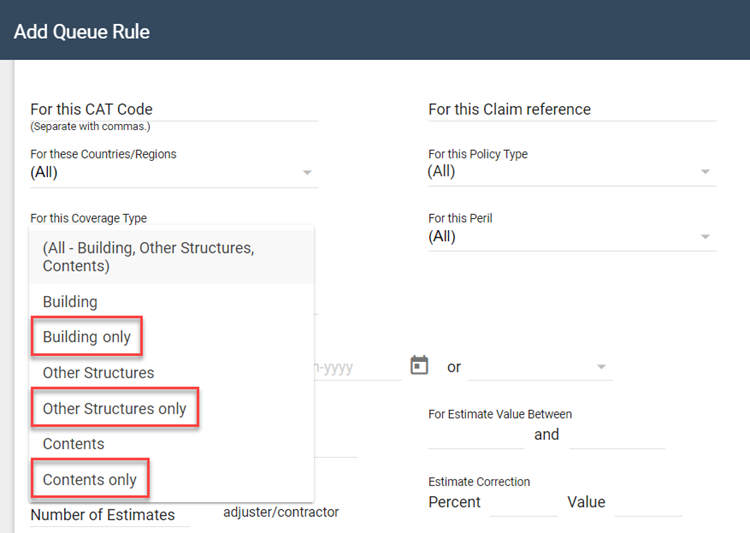
We added three new options to the For this coverage type dropdown menu in Queue Admin’s Add Queue Rule window: structural only, other structures only, and contents only. These new options allow you to easily identify uploaded estimates that only have line items marked with the associated coverage type.
Other improvements
- Now, when you duplicate an assignment, the underwriting company is included in the duplicated information.*
- All data sets are now selected by default in the XactNet Address Book's Filters window.*
September 1, 2022
Bulk Assignment Import updates*
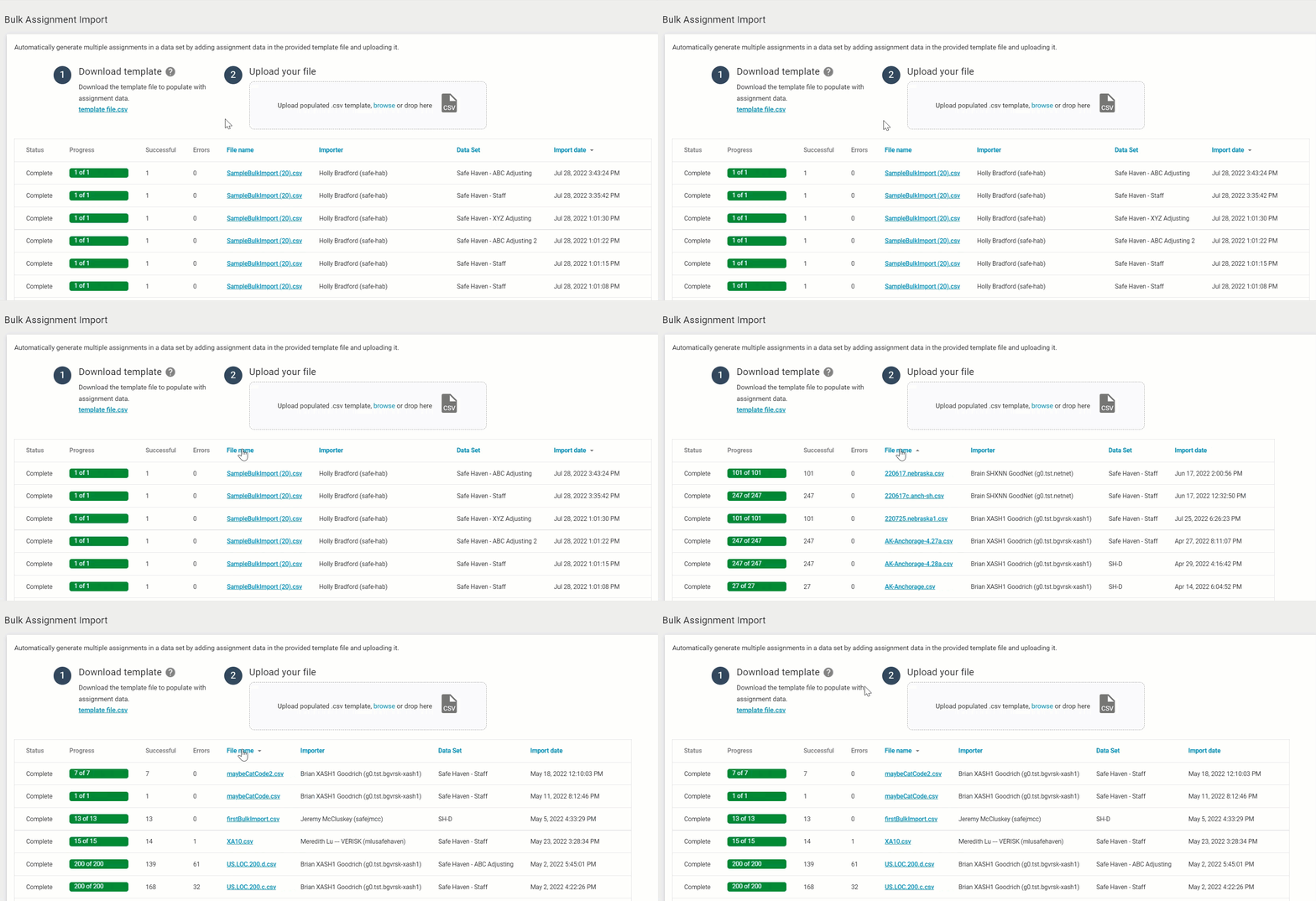
You can now sort the File Name, Importer, Data set, and Import Date columns in the Bulk Assignment Import table! Just click the header name, and the table will update automatically.
Interactive User’s Guide updates
We gave our Interactive User’s Guide a facelift! We made several changes to improve its design, format, and functionality.
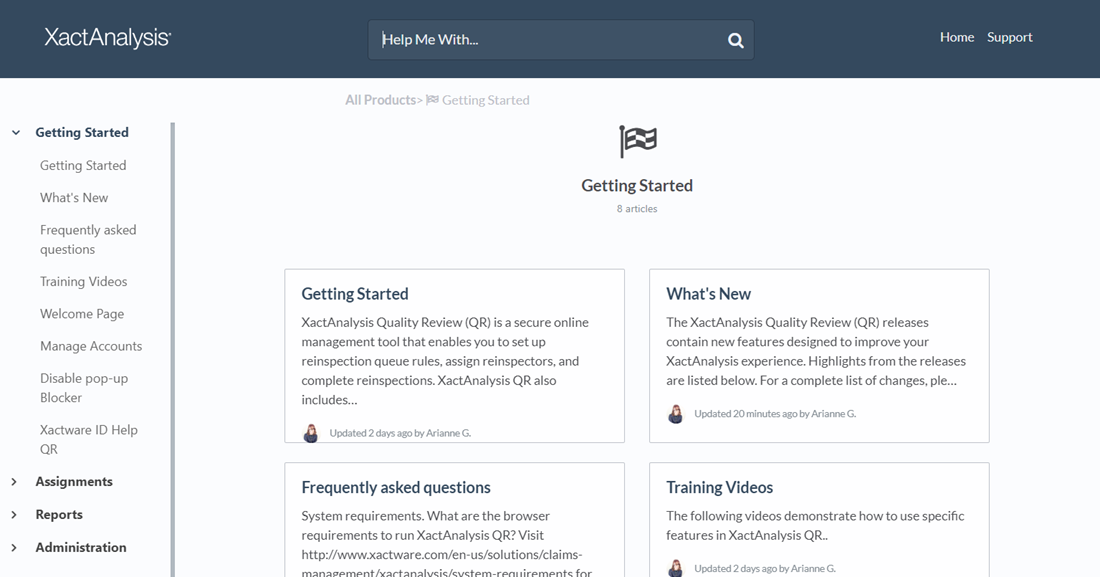
The Interactive User's Guide also has a new URL. If you have any related bookmarks, you’ll need to update them!
Queue Admin updates
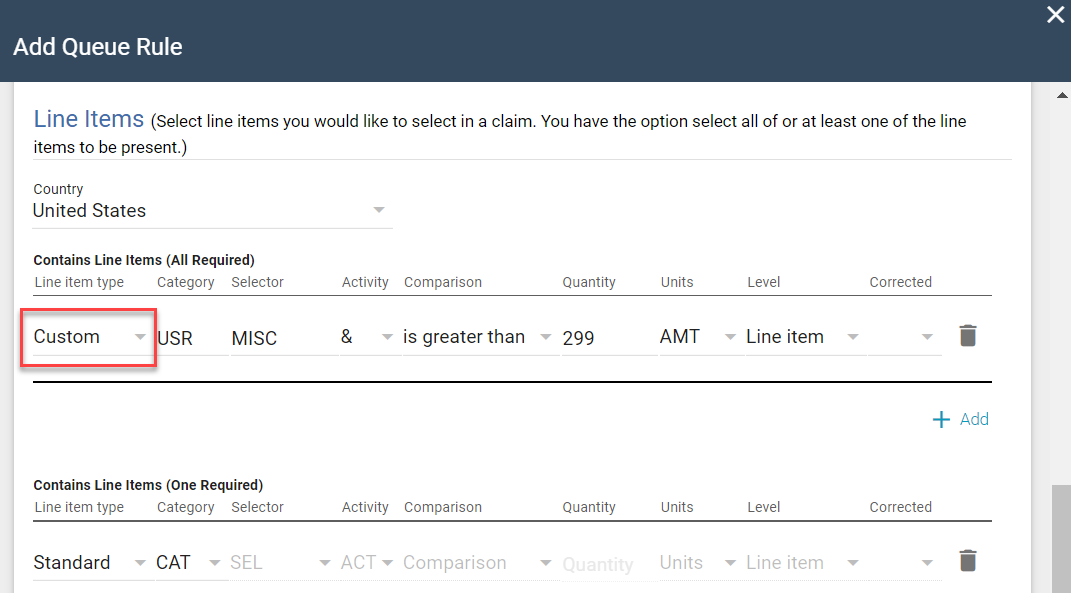
You can now configure Queue Rules that identify custom line items in uploaded estimates and send those estimates to the appropriate queue.
Search updates
We’ve heard your feedback and concerns, and, accordingly, we’ve postponed the retirement of the queues and the Column Admin feature until early 2023. We'll use this extra time to ensure everything you love about these features is incorporated into Search!
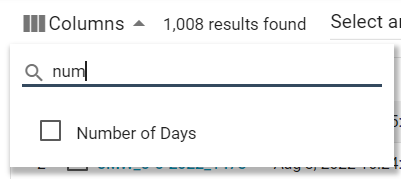
We added the Number of Days column to Search.*
We also added the Cancel Reinspections option to the Select an Action menu.
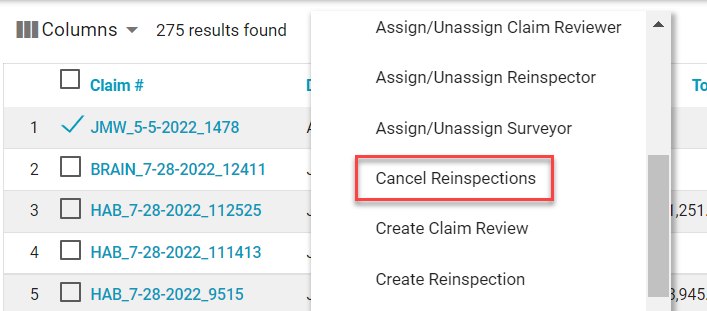
This option allows you to cancel reinspections that are currently assigned to and accepted by a reinspector.
New Third Party tab*
We added a Third Party tab to the Assignment Detail page! This tab shows which third-party vendors are available to you and allows you to easily submit order requests to them.
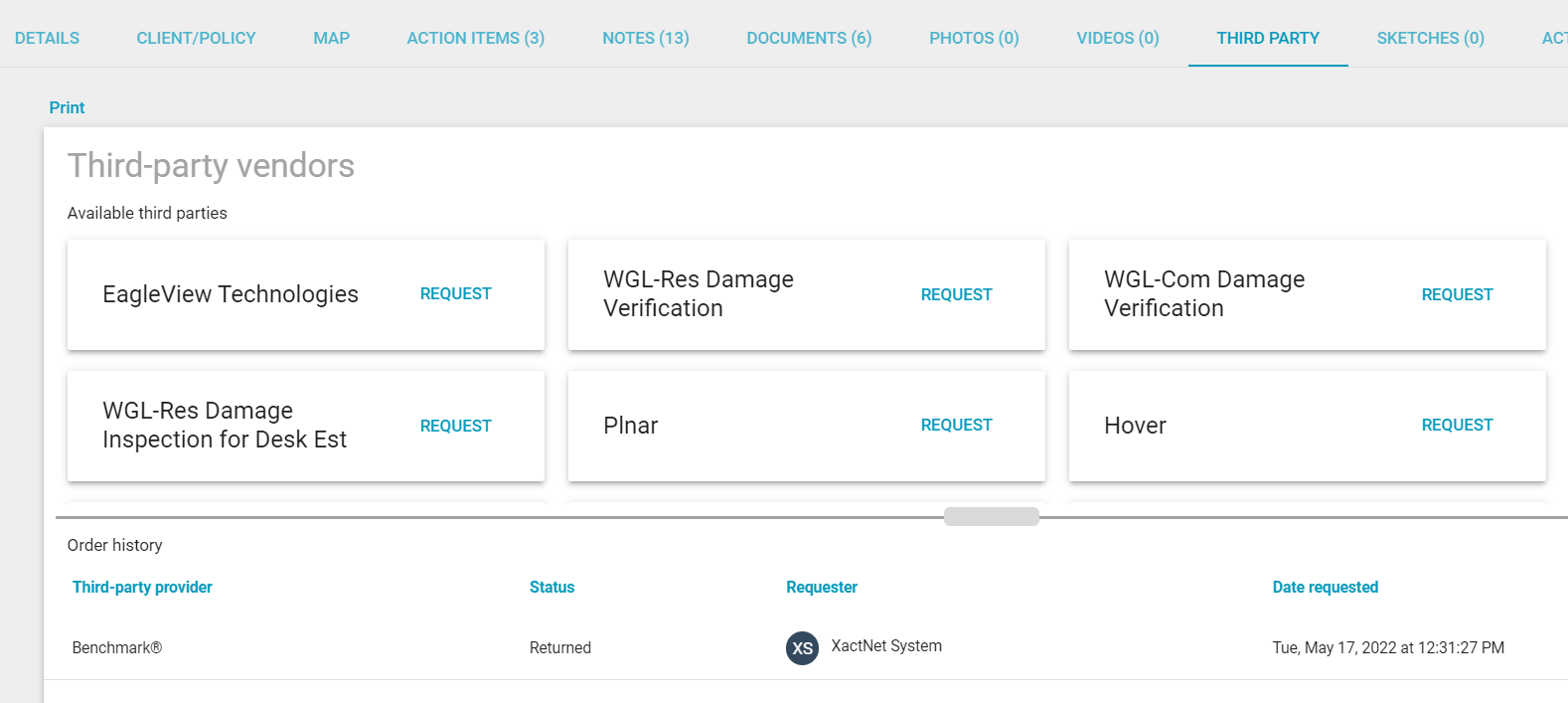
There’s also a table that displays any orders made to your third-party vendors.
Improvements
- Empty lists on the Define Service Area page no longer include the All checkbox.
- We added a Move Project to ClaimXperience button to the XactContents Collaboration Status in Assignment Details.
- The "Queue Type" label has been updated to "Queue Name" throughout the application.
June 2, 2022
New Bulk Assignment Import feature*
We added a Bulk Assignment Import feature that allows you to upload up to 500 assignments into XactAnalysis at a time. To use this feature, simply download the .csv template file from the page, enter the information for each assignment in the provided columns, and then drag and drop the file back onto the page. Each row in the uploaded file is automatically created as an assignment in XactAnalysis.
Any notes added in the file are uploaded to the assignment's Notes tab in XactAnalysis.
All import records for your account are displayed on the page for six months or until they are deleted manually.
New GIC feature*
We added the View in GIC Viewer option to the Select an Action menu. This allows you to access Geospatial Insurance Consortium (GIC) high-resolution imagery from an assignment.  GIC allows you to compare before and after aerial images of damage to the claim area. You must have a GIC subscription to use this feature.
Helps
We added a survey that appears after you leave the Bulk Assignment Import page.*
Reinspection Queue Map updates
We improved the Reinspection Queue Map. We increased the size of the map on the page, included some new filters, and improved the user interface. You can also now access it with the Map View button in Search.
We added an Assign button that allows you to assign reinspectors to estimates.
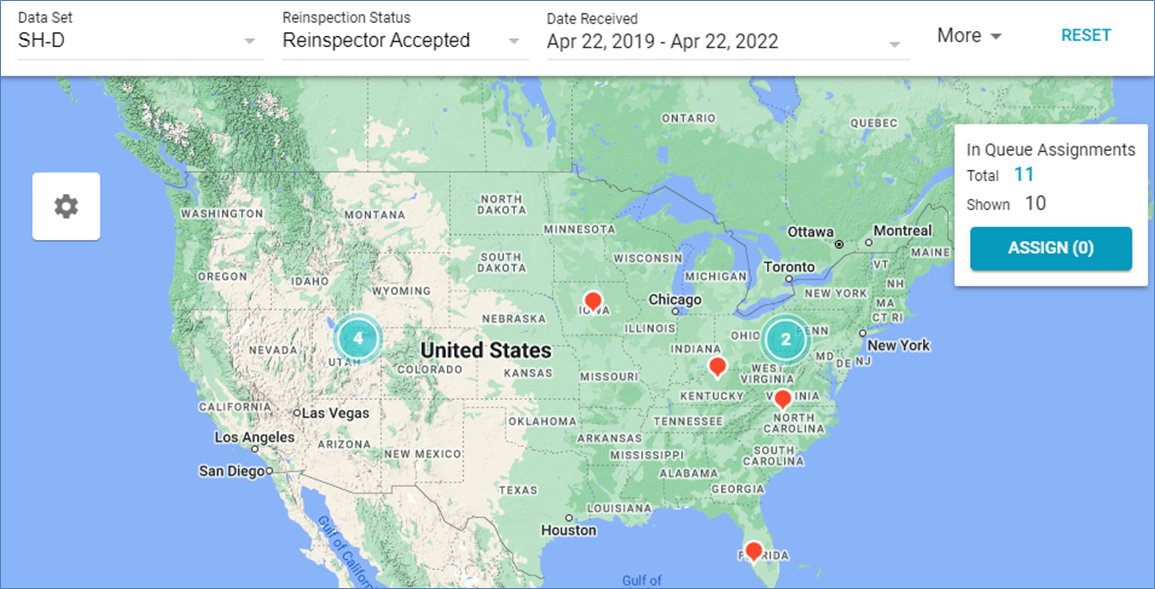
You can now filter the map by Reinspection Status directly from the filter ribbon.
We added a More menu to the filter ribbon that allows you to apply additional filters to the map. The menu includes the following filters:
- State/Province
- Denial Status
- Policy Type
- Type of Loss
- Reinspection Queue Rule
- Test Assignments
- Zip/Postal Code
- Office Levels
- Claim #
- Assignee
- Reinspector
Search updates
Each of the queues in Search now have their own Read and Unread statuses. For example, when you select a queue from the Queue Type menu and mark an assignment as Read (listed in regular text), it can still appear as Unread (listed in bolded text) in the other queues. This also applies to assignments exported from Search to an Excel file.
We added a Reviewed Automatically filter to Search. This filter allows you to find estimates that were automatically marked as Reviewed due to a program rule. 
When you assign an estimate to an estimate reviewer, surveyor, reinspector, or claim reviewer in Search, the assignee menu now provides your entire list of assignees. This list automatically narrows down your selection based on what you type in the field.

When you try to access the Advanced Search URL, you are now automatically redirected to Search. Additionally, a dialog box appears with an explanation that Advanced Search was retired, and it directs you to helpful guides on this topic. If you have bookmarks set for Advanced Search, you will need to update them for Search.
Improvements
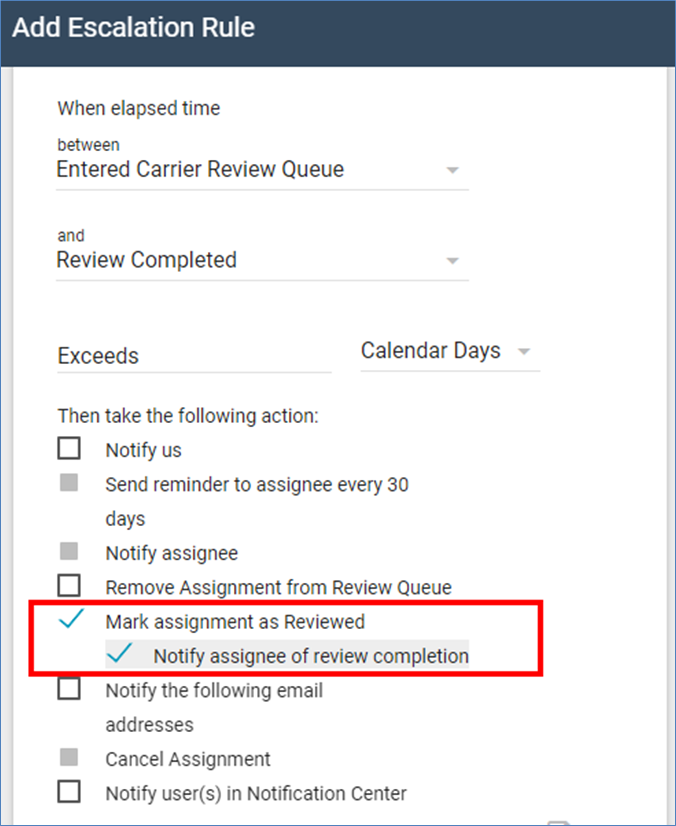
You can now create program rules that automatically mark assignments as Reviewed if they exceed a specified limit. To enable this, create or edit a program rule and select the new Mark assignment as Reviewed check box. When this check box is selected, you can also select a Notify assignee of review completion check box to notify the assignee when the rule is triggered.