Reinspection Form Scoring
 Updated
by
Arianne G.
Updated
by
Arianne G.
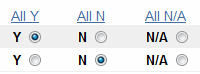
The reinspection form is automatically scored and rated by XactAnalysis® Quality Review (QR) when the form is saved. Scoring and rating is based on the percentage of answers marked Yes out of all the questions that are marked Yes or No on the form. The form scoring only works with Yes and No answers; if an answer is marked N/A, that question is not included in the scoring. Questions and categories can be given different weights. Your company determines how much weight each question and category receives and what percentage of Yes answers earns an Effective rating. All questions and categories are completely customizable.
The screen shots in this document are generic, and your company’s interface may vary slightly.
Category Score
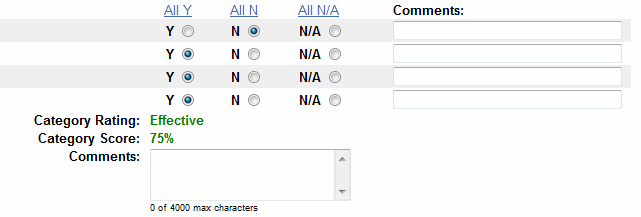
Category score is the percentage of questions answered Yes for that category. Questions answered No lower the percentage. For example, if the category has four questions and three have a Y and one is N the score will be 75%.
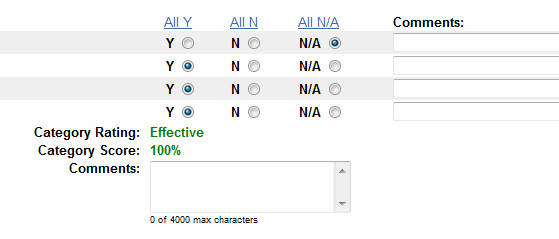
Questions answered N/A are not included in scoring.
Question Weights
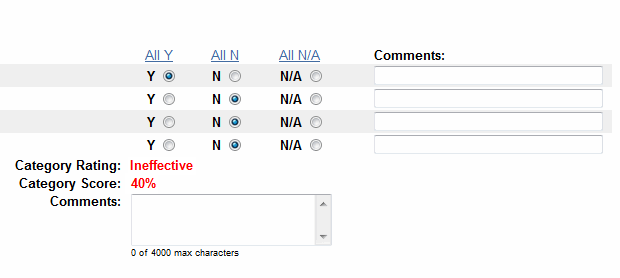
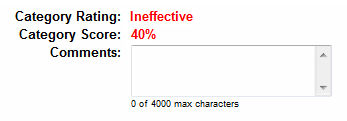
Your company can determine if any particular question(s) should have more weight than others in the scoring. If a question is weighed once, the answer is counted once in the scoring. If a question is weighed twice the answer is counted twice in the scoring. So, if a category has four questions and the first question is weighed twice and the rest are weighed once, the category is scored as if there were five questions. In figure four, the first question is weighed twice. So the score is 40%, or two out of five.
Category Weights
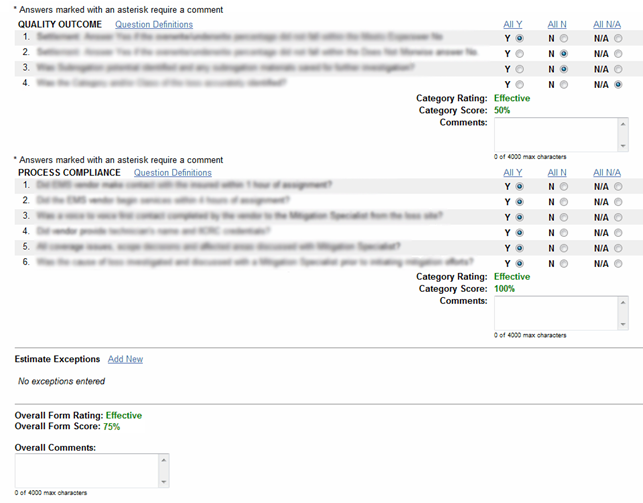
Your company determines each category’s weight in the overall form score. If all the categories have a weight of one, the category scores are simply averaged together to get the overall form score. For example, if category one has a score of 50% and category two has a score of 100%, the overall form score is 75%, or (50 + 100)/2.
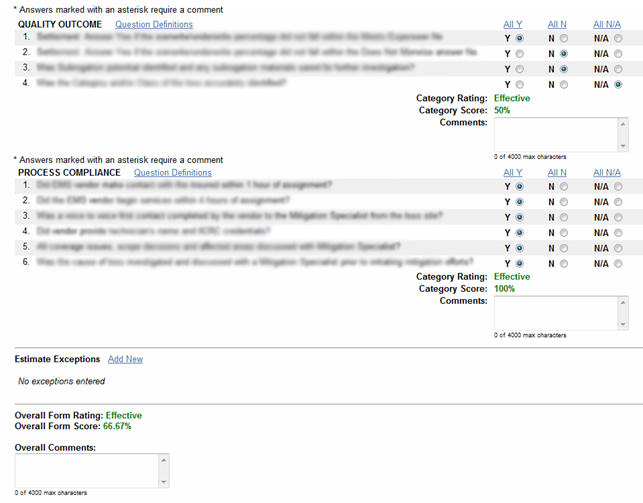
If a category has a weight of two, then that category score is added (or weighed) twice when averaging the scores. For example, if category one (with a weight of two) has a category score of 50% and category two (with a weight of one) has a score of 100%, the overall form score is 66.67%, or (50 + 50 + 100)/3.
Overall Form Score
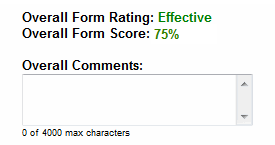
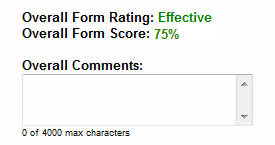
The overall form score is determined by weighing and averaging all the category scores. See Category Weights above for more information.
Category Rating: Effective/Ineffective
Your company determines what percentage of questions answered Yes merits an Effective rating. For example, if your company determines that a score of 70% or above is Effective, a score of 69% or lower is automatically rated as Ineffective. The Category Rating scores all questions equally unless your company has opted to weigh some questions more than others.
Overall Form Rating: Effective/Ineffective
Your company determines what overall percentage merits an Effective rating. Anything below that percentage is automatically rated as Ineffective. The overall rating scores all categories on the form equally unless your company has opted to weigh some categories more than others.
Questions Definitions
The questions of each category are explained in Question Definitions. When clicked, a dialog box appears with the definitions to all the questions in that category as defined by your company.

Answers
Your company can add up to five answer choices in the reinspection form, including Y, N, and N/A (see Figure 10).